WordPress products
 Joomla products
 Support
 News
News Login
LoginBuild a Private File Repository per User or Role with WP File Download Access Control

Managing files on a WordPress website can quickly become complex when different users need access to different content. Whether you are handling internal documents, client deliverables, or exclusive member resources, controlling who can access what is no longer optional; it is essential.
If you are looking for a way to create a structured and secure file system directly inside WordPress, this guide will walk you through how to build a private file repository using role-based access control. You will learn how to organize files, restrict access, and deliver a seamless experience to users without needing advanced technical knowledge.
In this article, we will explore how to use WP File Download and its access control features to create private repositories tailored to users or roles, while also maintaining strong security and performance standards.
Looking for a powerful file management solution for client websites?
WP File Download is the answer. With advanced features like file categories, access
restrictions, and intuitive UI.
Impress your clients with top-notch file organization!
Table of content
- Why Role Based File Access Matters in WordPress
- Overview of WP File Download Access Control System
- Creating Private File Repositories by Role or User
- Practical Use Cases for Private File Repositories
- Security Best Practices for File Access Control
- Building a Scalable and Secure File System in WordPress
- Take Control of Your WordPress File Management
Why Role Based File Access Matters in WordPress
Not every visitor should see every file. This is especially true for websites that handle sensitive or exclusive content. Without proper access control, files can be exposed unintentionally, leading to privacy issues or even data breaches.
Role-based access allows you to define exactly who can view, download, or manage files based on their role within WordPress. For example, administrators may have full access, while customers or members only see a limited set of documents.
This approach is critical in several scenarios:
- Businesses managing internal documentation
- Agencies sharing deliverables with clients
- Membership websites offering premium downloads
- Educational platforms distributing course materials
By assigning permissions based on roles, you reduce risk while improving organization and user experience.
Overview of WP File Download Access Control System
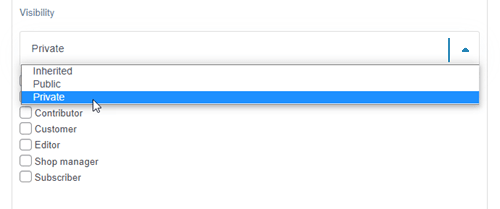
WP File Download is designed to turn WordPress into a powerful file management system. One of its most valuable features is its advanced access control system, which allows you to define granular permissions at multiple levels.
Instead of relying on basic file uploads, this plugin introduces a structured approach:
- Categories act like folders
- Files are organized within these categories
- Permissions can be applied per category or file
- Access rules can be based on user roles or individual users
This gives you full control over how files are stored and accessed.
The plugin integrates directly into the WordPress dashboard, so you can manage everything without leaving your site. At the same time, it provides frontend display options, allowing users to access their files through a clean, intuitive interface.
Creating Private File Repositories by Role or User
Building a private file repository is essentially about combining organization with access rules. With WP File Download, this process is straightforward.
Step 1: Organize Your File Structure
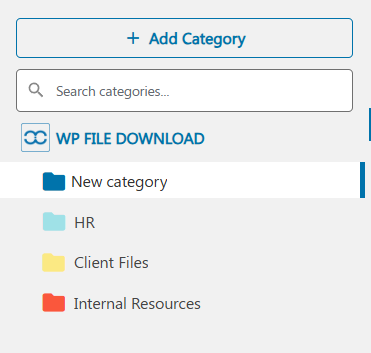
Start by creating categories that represent your file groups. Think of these as folders:
- HR Documents
- Client A Files
- Internal Resources
Each category will later be linked to specific permissions.
Step 2: Assign Role-Based Permissions
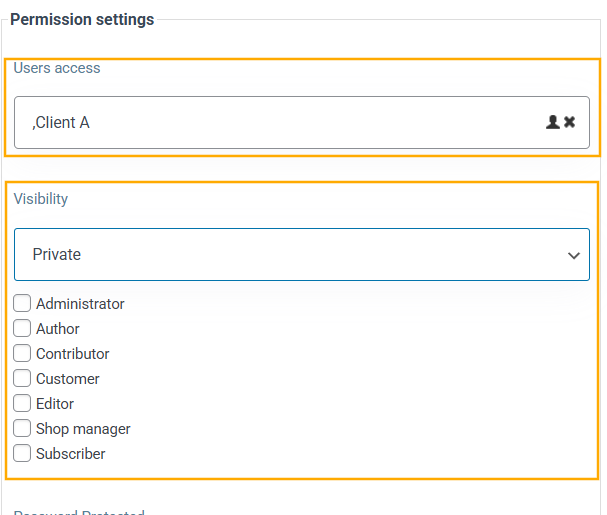
Once your categories are created, you can define who can access them. For example:
- HR Documents > Only HR role
- Client A Files > Only specific client user
This ensures that users only see what is relevant to them.
Step 3: Restrict Individual Files if Needed
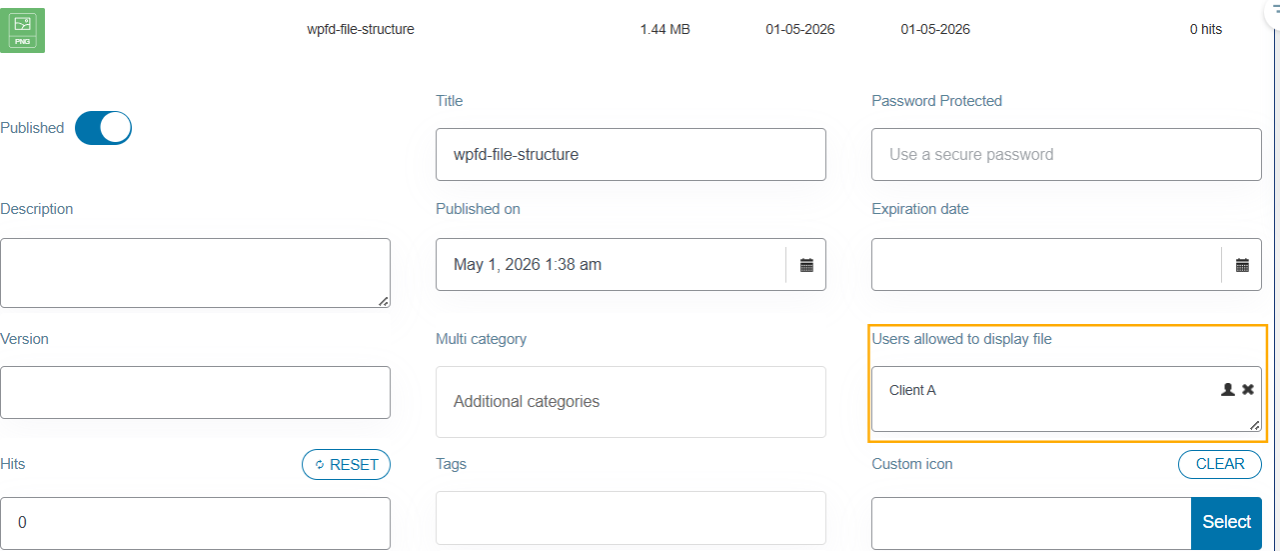
In some cases, you may want even more control. WP File Download allows permissions at the file level as well. This means you can:
- Hide specific files within a visible category
- Provide exclusive downloads to selected users
- Limit access based on custom conditions
Step 4: Display Files on the Frontend
After setting permissions, you can display these repositories on your site using shortcodes or blocks. Users will only see the files they are allowed to access.
This creates a personalized experience where each user effectively has their own private file area.
Practical Use Cases for Private File Repositories
The flexibility of WP File Download makes it suitable for many real-world scenarios.
HR Portals
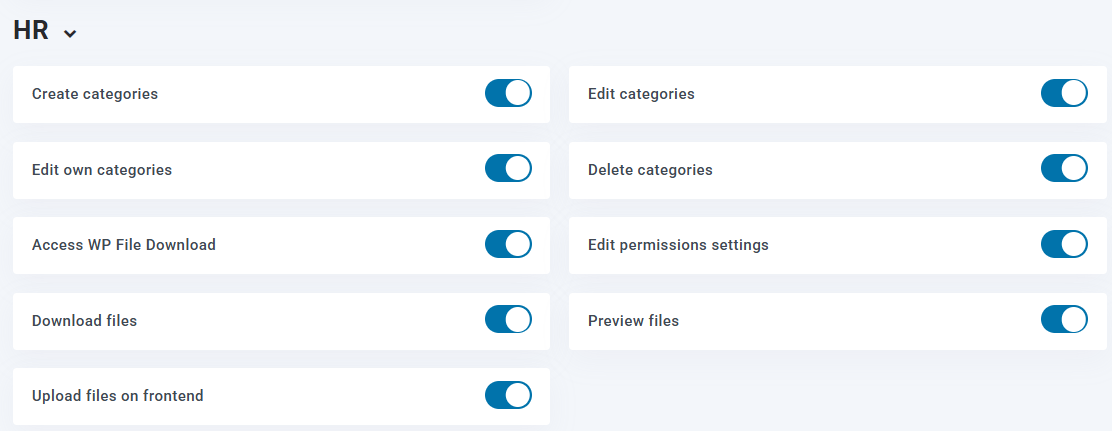
Companies often need a centralized location for employee documents such as contracts, policies, or payslips.
With role-based access:
- Employees only see their own files
- HR staff manage all documents
- Sensitive data remains protected
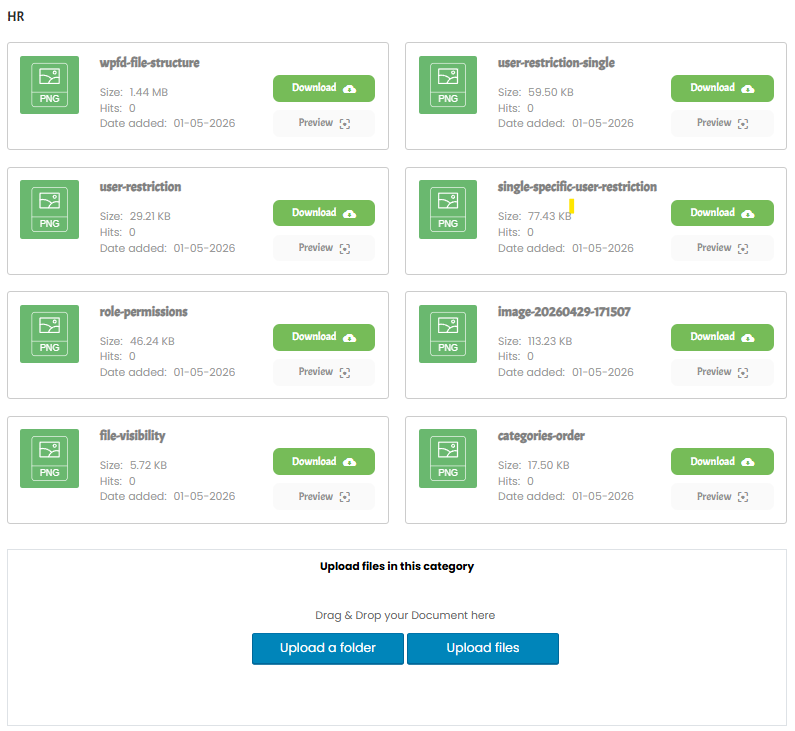
Client Dashboards
Agencies and freelancers can create private areas for each client:
- Upload project files
- Share reports or deliverables
- Provide ongoing updates
Each client only accesses their own repository, improving both privacy and professionalism.
Membership Websites
If your site offers premium content, controlling access is essential.
You can:
- Restrict downloads to paying members
- Offer tier-based content access
- Protect exclusive resources
This ensures that only authorized users benefit from your content.
Security Best Practices for File Access Control
While WP File Download provides strong tools, it is important to follow best practices to maximize security.
Use Strong Role Definitions
Avoid assigning broad permissions. Instead:
- Create specific roles when needed
- Limit access to only what is necessary
- Regularly review user permissions
Protect File URLs
Even if files are hidden, direct links can sometimes be shared. Ensure:
- File access is always checked before download
- Unauthorized users cannot bypass restrictions
WP File Download helps enforce this automatically.
Building a Scalable and Secure File System in WordPress
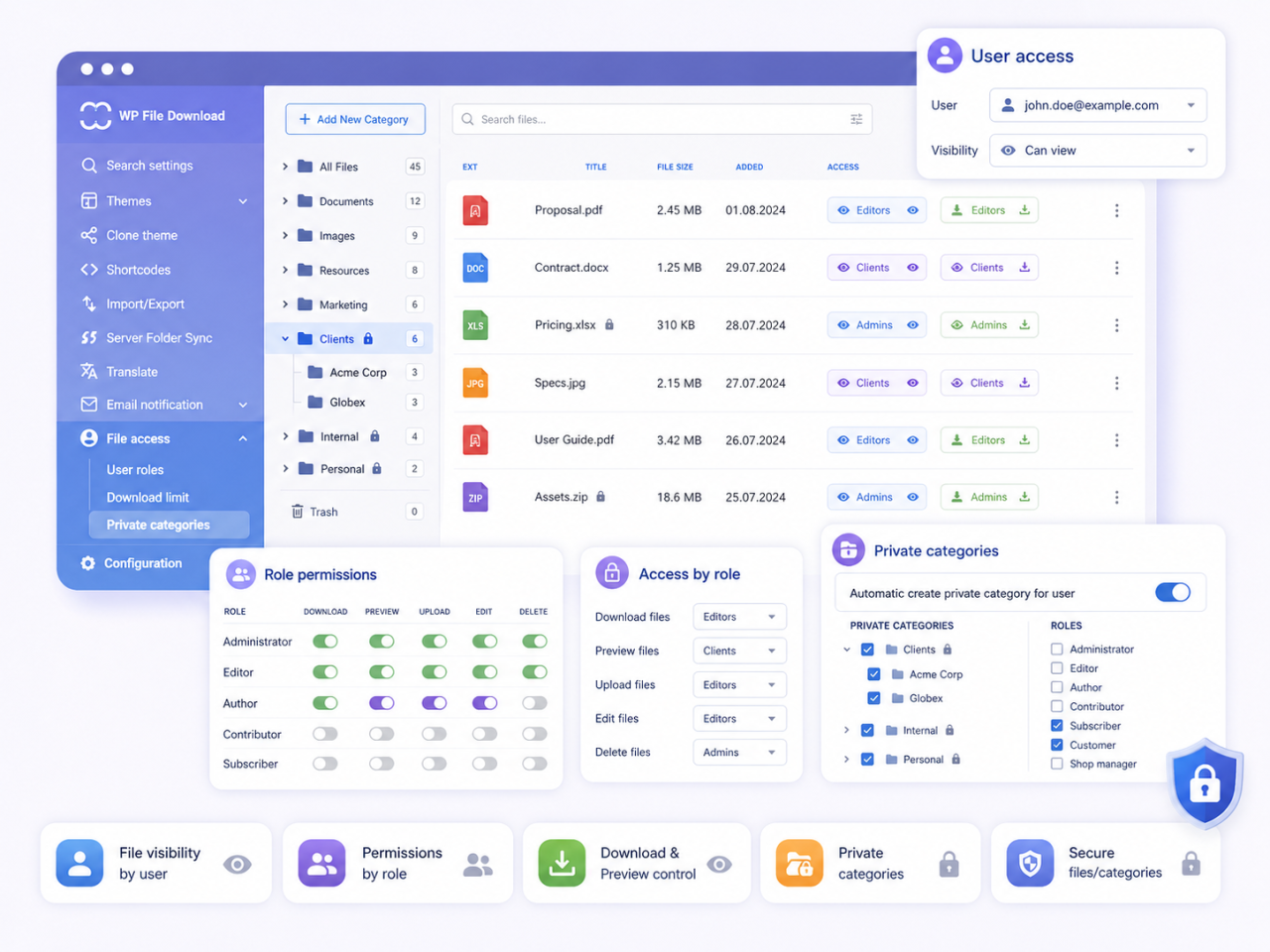
Creating a private file repository is not just about storing files—it is about delivering the right content to the right users in a secure and efficient way.
By combining structured categories, role-based permissions, and frontend visibility control, you can transform WordPress into a powerful file management platform. Whether you are managing internal documents, client deliverables, or premium resources, having granular access control ensures both privacy and usability.
WP File Download provides the tools needed to implement this system without complexity. With careful setup and adherence to security best practices, you can confidently manage your files while offering a seamless experience to your users.
Calling all webmasters!
Enhance your client websites with WP File Download. Create secure and customizable file
repositories, allowing clients
to easily access and manage their files.
Upgrade your web design services today!
Take Control of Your WordPress File Management
A well-organized and secure file repository is a critical component of modern websites. It improves workflow, protects sensitive data, and enhances user experience.
By implementing role-based access control with WP File Download, you gain full control over how files are shared and accessed. From private client dashboards to internal HR portals, the possibilities are extensive.
Start structuring your file system today and turn your WordPress site into a secure, scalable, and user-focused file management solution.
When you subscribe to the blog, we will send you an e-mail when there are new updates on the site so you wouldn't miss them.