WordPress products
 Joomla products
 Support
 News
News Login
LoginWP File Download: Email Notification
1. Email notification editor
You can find this setting at Menu WP File Download > Configuration > Email notification editor.
WP File Download includes an Email notification system. It can be triggered on:
- New file upload
- File updated
- File deleted
- File is downloaded
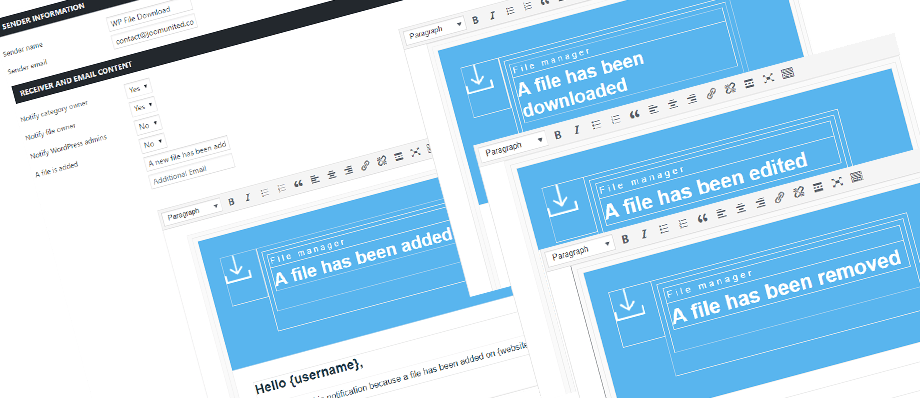
The HTML of each notification is accessible through the Email configuration, menu: WP File Download > Configuration > Email notification > Email notification editor
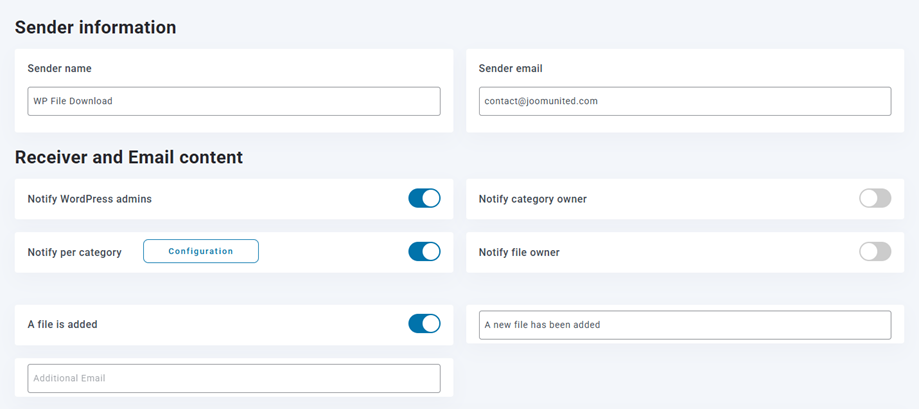
You can set Email notification will be sent to those or not:
- WordPress admins
- Category owner
- WordPress user roles
- File owner
- Per category
- Any files changes
- The additional email; for example
This email address is being protected from spambots. You need JavaScript enabled to view it. ,...
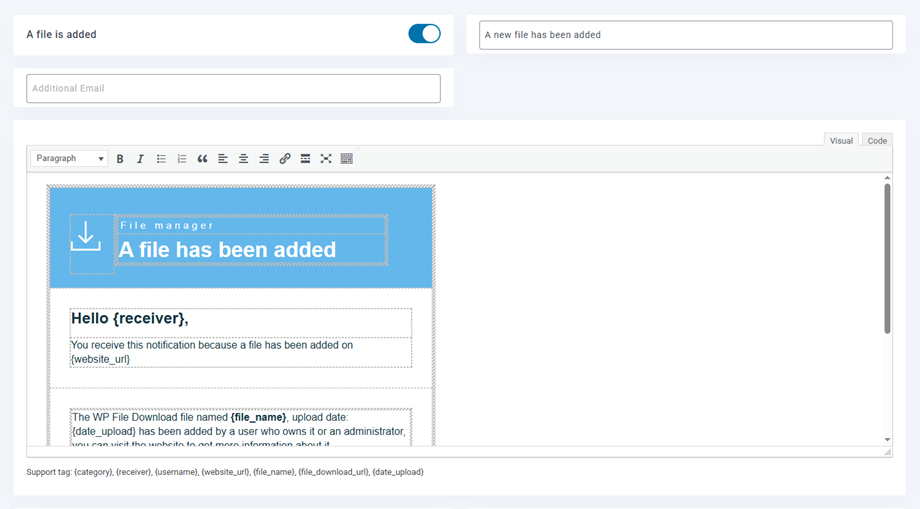
There are some supported tags you can use in the Email content: {category}, {receiver}, {username}, {website_url}, {file_name}, {file_download_url}, {file_location}, {date_upload}, . The tags will be replaced dynamically for all your users; ie: {file_name} will become myfile.zip.
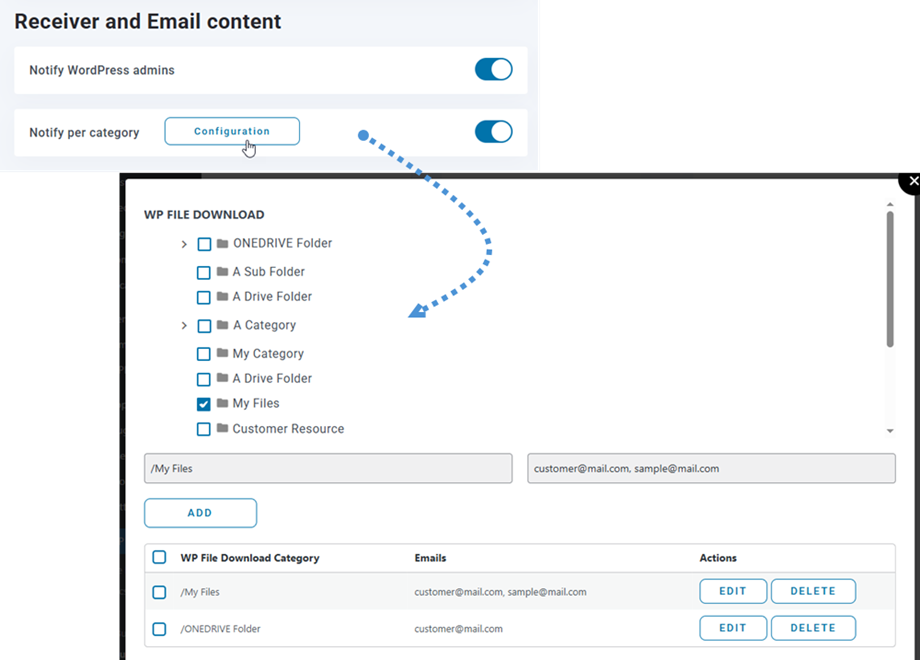
Notify per category
To enable category-specific notifications, simply click on the Configuration button, choose a category, enter the email addresses in the designated field, and click on the Add button.
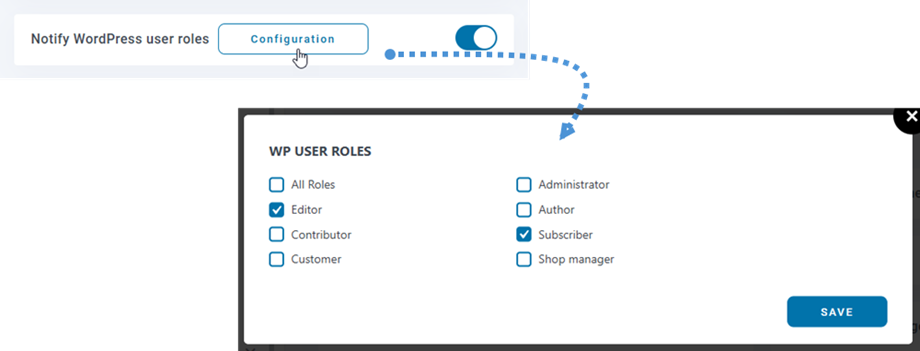
Notify Wordpress user roles
To send email notification to specific user roles, enable Notify WordPress user roles and click Configuration button to select roles.
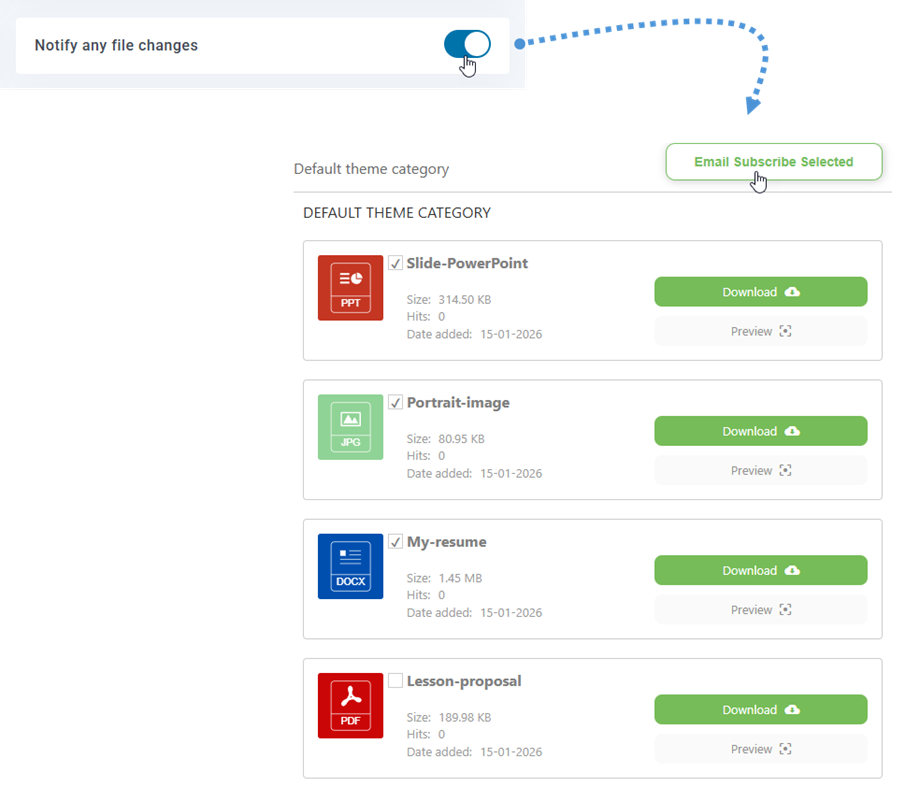
Email subscription to category or selected files
Enable the Notify any file changes option to allow users to subscribe to selected files or all files within a category from the frontend. When subscribing to all files in a category, users will automatically receive notifications for newly uploaded files as well.
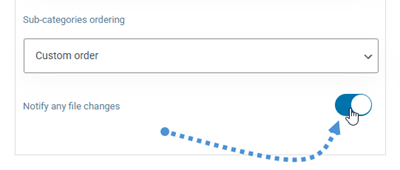
To hide this subscription feature in a specific category, simply disable it in that category's settings.
2. Mail option
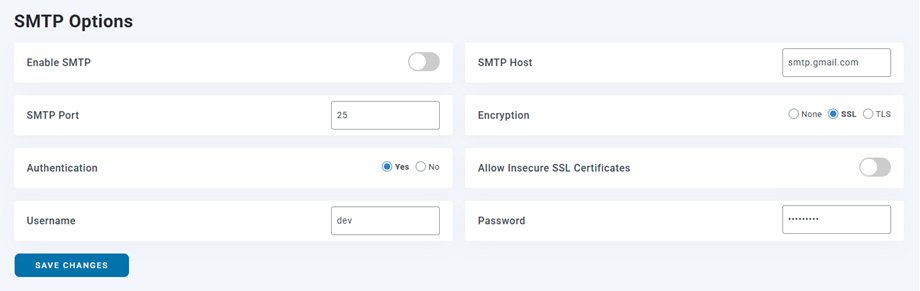
And you can set up SMTP for your email in Email notification > Mail Option.