 WordPress products
 Joomla products
 Support
 News
News Login
LoginWhy am I getting 404 errors when trying to preview or download files?
If you're encountering 404 error pages when viewing or downloading files through WP File Download, try these solutions:
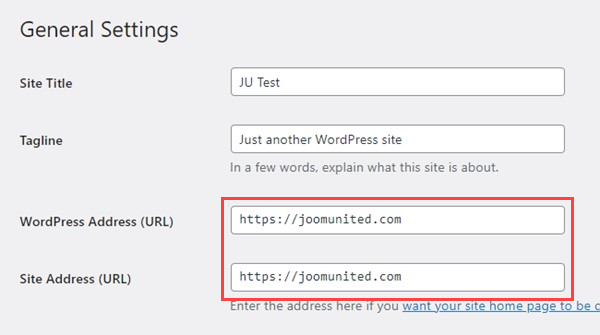
- Check your WordPress URLs: Make sure both "WordPress Address (URL)" and "Site Address (URL)" use https in Settings > General.
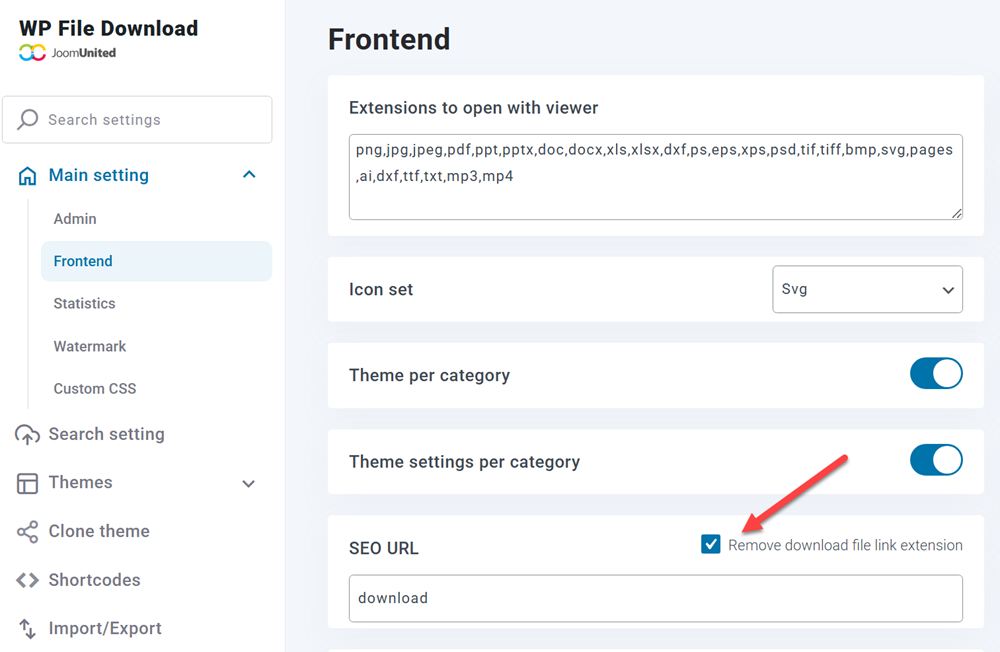
- Enable SEO-friendly URLs: Go to Main Settings > Frontend and enable the "Remove download file link extension" option under SEO URL settings.
Still not working? If the issue persists, please provide admin access so we can investigate the problem further.
Contact our support team if you need additional assistance.
