WordPress-producten
 Joomla-producten
 Ondersteuning
 Nieuws
 Inloggen
WP Speed of Light: Configuratie
1. Algemene instellingen
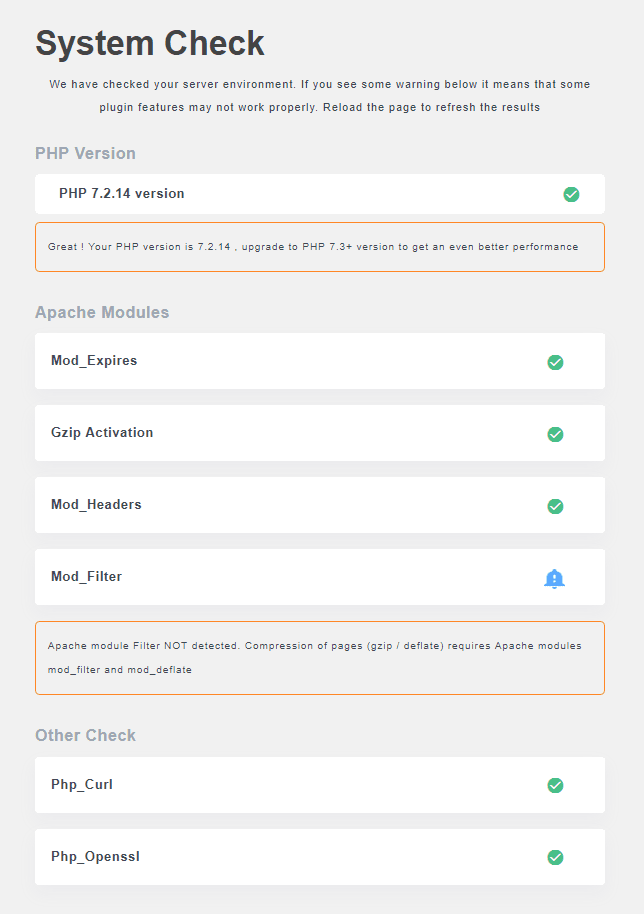
Toon een knop om de cache te wissen in de bovenste werkbalk: Toon een knop in de bovenste balk om de volledige sitecache te wissen.
Uw WebPageTest API-sleutel: Uw WebPageTestAPI-sleutel komt hier. Deze is vereist om de snelheidsanalysetool te kunnen gebruiken.
Optimalisatie uitschakelen voor beheerders: Wanneer een beheerder is ingelogd, kunt u snelheidsoptimalisatie (cache, compressie, enz.) uitschakelen.
ALLEEN VOOR PRO-ADDON - Schakel optimalisatie uit voor: Schakel ook alle snelheidsoptimalisatie uit voor specifieke gebruikersrollen.
2. Import/Export
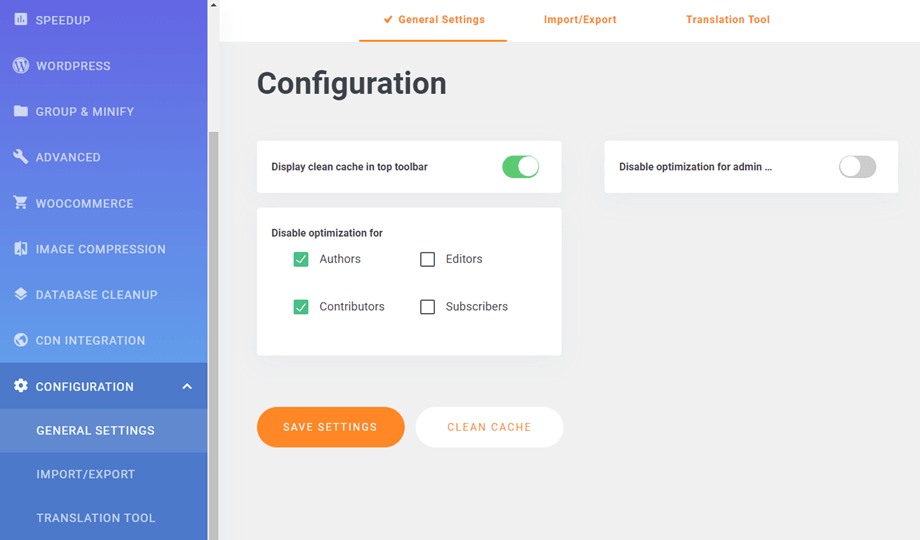
Ga eerst naar WP Speed of Light > Snelheidsoptimalisatie > Configuratie > tabblad Importeren/Exporteren. Daar kunt u de configuratie importeren/exporteren naar een JSON- of XML-bestand.
3. Systeemcontrole
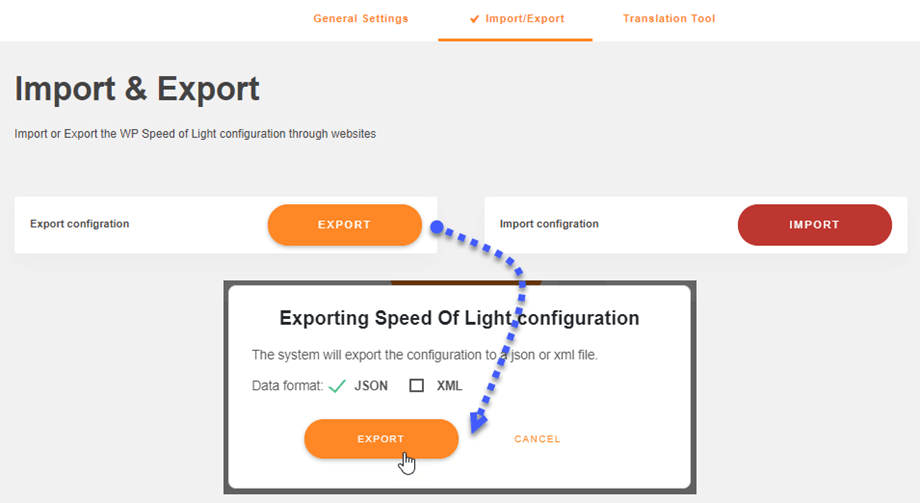
Je kunt je sitesysteem controleren via WP Speed of Light > Snelheidsoptimalisatie > Systeemcontrole. Daar worden je PHP-versie, Apache-modules, enzovoort gecontroleerd.