Produtos para WordPress
 produtos Joomla
 Suporte
 Notícias
 Iniciar sessão
Melhor alternativa ao plugin "Filter Everything" para WordPress (comparação)

O nome Filter Everything pode ser familiar para aqueles de vocês que costumam usar plugins de filtro no WordPress. É bastante popular pela sua capacidade de filtrar diferentes tipos de conteúdo. Mas, à medida que as necessidades evoluem, muitos usuários descobrem que ele não é flexível o suficiente — especialmente quando se trata de lojas online, diretórios personalizados ou grandes sites de conteúdo.
Se você procura uma alternativa mais rápida, mais fácil de usar e com mais recursos, este artigo discutirá a solução. Vamos abordar as limitações do Filter Everything, os recursos essenciais que um plugin de filtro deve ter e apresentar um plugin alternativo que vale a pena considerar. Vamos começar!
- Muitos usuários do WordPress consideram o Filter Everything muito limitado para necessidades de conteúdo complexas, especialmente para grandes diretórios, lojas de e-commerce ou sites que precisam de filtragem avançada em tipos de post personalizados e consultas personalizadas.
- Alternativas como WP Ultra Filter oferecem filtragem AJAX em tempo real, suporte total para todos os tipos de conteúdo, opções de exibição flexíveis e personalização de design moderna — melhorando a velocidade de pesquisa, a experiência do usuário e a compatibilidade com plugins como WooCommerce e WPML.
- As melhores alternativas oferecem configuração fácil, filtros combinados de palavras-chave e critérios, e URLs amigáveis para SEO já na versão gratuita — tornando a filtragem avançada e dinâmica do site possível para qualquer site, sem necessidade de programação ou atualizações caras.
Índice
Principais Limitações do Plugin Filter Everything

Embora o Filter Everything seja bem conhecido entre os usuários do WordPress, especialmente para necessidades básicas de filtragem, infelizmente ainda apresenta algumas limitações significativas — especialmente se você gerencia um site com muito conteúdo ou uma loja online complexa.
Alguns recursos importantes só estão disponíveis na versão PRO e, mesmo assim, a flexibilidade e a compatibilidade do plugin ficam aquém das necessidades dos usuários modernos. Vários aspectos do Filter Everything parecem subutilizados em comparação com outros plugins mais avançados. Aqui estão algumas das principais limitações.
- A versão gratuita não oferece suporte a URLs amigáveis para SEO, o que pode afetar o desempenho do site nos mecanismos de busca.
- Não é possível filtrar consultas personalizadas do WP, o que limita a capacidade de personalizar filtros para conteúdo dinâmico ou complexo.
- Não oferece suporte premium para usuários da versão gratuita, o que pode ser um problema ao enfrentar problemas técnicos.
- A versão gratuita oferece opções de personalização limitadas em comparação com a versão PRO.
- Não oferece recursos de filtragem com uma combinação de pesquisa por palavra-chave e critérios avançados
Essas limitações frequentemente fazem os usuários sentirem que precisam de uma solução mais flexível, rápida e personalizável para suas necessidades específicas. Na próxima seção, discutiremos os recursos essenciais que um plugin de filtro WordPress verdadeiramente poderoso deve ter.
Crie filtros rápidos e dinâmicos para o seu site WordPress!
Potencialize o seu diretório, portfólio ou loja WooCommerce com filtros avançados, resultados em tempo real e total compatibilidade com os seus plugins favoritos.
O que procurar em um plugin de filtro para WordPress

Escolher um plugin de filtragem para WordPress não se resume apenas à capacidade de filtrar conteúdo — trata-se de quão bem ele compreende a estrutura do seu site, suporta diferentes tipos de conteúdo e proporciona uma experiência de utilizador fluida. Quer faça a gestão de um blog, de uma loja online ou de um grande diretório, o plugin certo pode ajudar os visitantes a encontrar informações de forma rápida e eficiente.
Aqui estão os principais recursos que você deve considerar ao escolher um plugin de filtro poderoso e flexível.
Suporte a Tipos de Post Personalizados e Taxonomias
Nem todos os sites WordPress contêm apenas posts e páginas padrão — muitos também usam tipos de post personalizados, como portfólios, eventos, listagens ou produtos. Um bom plugin de filtro deve funcionar perfeitamente com todos esses tipos de conteúdo, incluindo taxonomias personalizadas, como categorias de produtos, tipos de serviços ou localizações.
O suporte para tipos de conteúdo personalizados e taxonomias permite criar sistemas de navegação mais complexos sem codificação adicional. Isto é especialmente importante para sites em crescimento que necessitam de grande flexibilidade na exibição e filtragem de diferentes tipos de conteúdo.
Filtragem Baseada em AJAX
Os filtros baseados em AJAX permitem que os visitantes obtenham resultados instantaneamente sem recarregar a página. Isso melhora a conveniência do usuário e faz o site parecer mais rápido e moderno.
Com AJAX, cada clique no filtro exibe os resultados instantaneamente, sem longas pausas. Este recurso é especialmente importante para sites com vários produtos ou artigos, pois ajuda a manter a atenção dos visitantes e a reduzir a taxa de rejeição.
Compatibilidade com Qualquer Plataforma
Os plugins de filtragem não devem obrigá-lo a alterar o seu tema ou a estrutura do site apenas para que funcionem. A ampla compatibilidade com temas e plugins populares como WooCommerce, WPML e ACF é essencial.
Isso garante que o plugin funcione sem problemas em diferentes sites, de blogs pessoais a grandes sites de comércio eletrônico. Você pode enfrentar problemas com exibições quebradas, recursos com mau funcionamento ou até mesmo travamentos sem uma boa compatibilidade.
Critérios de Filtragem Flexíveis
Cada site tem necessidades de filtragem diferentes. Alguns precisam de filtros por categoria, cor, preço, avaliação ou até localização. Um bom plugin de filtros deve suportar diferentes caixas de seleção, menus suspensos, controles deslizantes e muito mais.
Essa flexibilidade permite personalizar o filtro de acordo com o tipo de conteúdo e os hábitos dos visitantes. Quanto mais opções disponíveis, mais fácil será para os usuários encontrarem o conteúdo que procuram.
Configuração Fácil
Nem todos os utilizadores do WordPress têm conhecimentos técnicos, e é por isso que a facilidade de configuração é tão importante. O plugin de filtragem ideal deve ter uma interface de administração clara, documentação completa e guias visuais úteis.
Com uma configuração fácil, os usuários podem criar e exibir filtros instantaneamente sem depender de desenvolvedores. Isso economiza tempo e dinheiro, especialmente para proprietários de sites pequenos ou equipes de conteúdo não técnicas.
Design Personalizável
Um bom plugin de filtros não deve prejudicar o aspeto do seu site. O design do filtro deve ser personalizável para se integrar com o seu tema e identidade visual existentes, incluindo cores, tipos de letra, disposição e posicionamento.
A capacidade de personalizar a aparência dos filtros também é importante para melhorar a UX. Um filtro visualmente agradável e consistente parecerá mais profissional e tornará os utilizadores mais confortáveis ao navegar no seu site.
Apresentando o WP Ultra Filter como a Melhor Alternativa
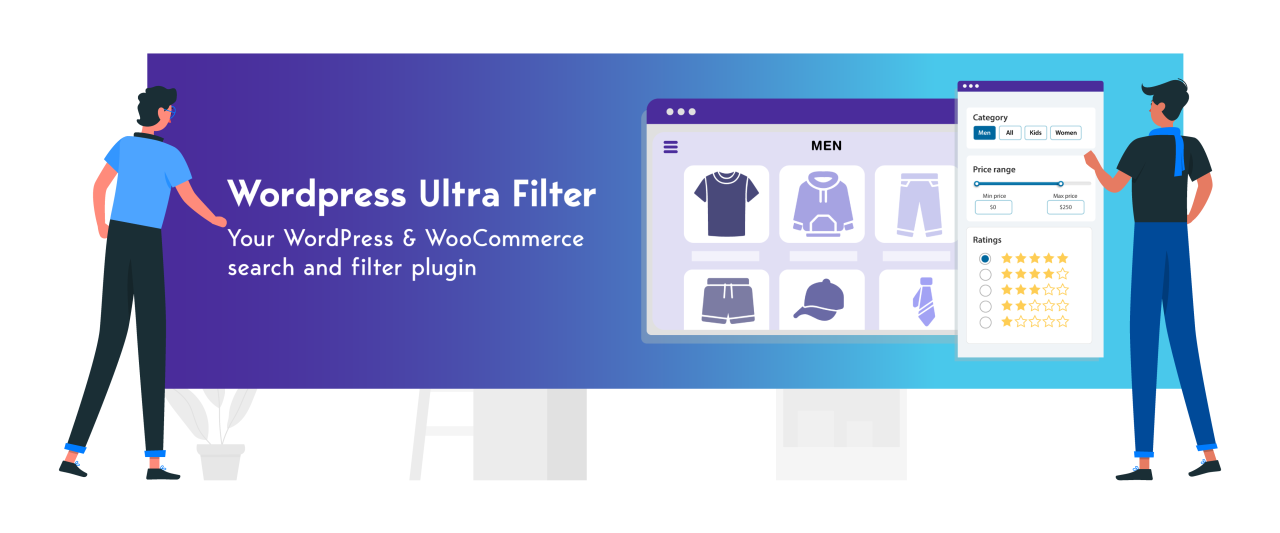
Se você acha que um plugin como o Filter Everything não atende totalmente às necessidades de filtragem de conteúdo complexo, considere uma alternativa mais flexível e avançada, WP Ultra Filter. Este plugin oferece uma experiência de filtragem rápida e intuitiva que pode ser personalizada para vários sites WordPress, de blogs a grandes lojas online.
WP Ultra Filter oferece uma solução de filtragem moderna com suporte total para diferentes tipos de conteúdo, incluindo tipos de post personalizados, produtos WooCommerce e categorias em camadas. Com uma interface amigável e resultados de filtragem instantâneos alimentados pela tecnologia AJAX, este plugin aumenta o envolvimento dos visitantes enquanto acelera a sua capacidade de encontrar conteúdo relevante. Aqui estão algumas das principais funcionalidades do WP Ultra Filter:
- Filtragem AJAX em tempo real: os resultados da pesquisa aparecem imediatamente, sem recarregar a página, mantendo a rapidez e a conveniência para o usuário.
- Suporta todos os tipos de conteúdo do WordPress: Posts, páginas, produtos WooCommerce e tipos de post personalizados.
- Compatível com os principais plugins: integra-se perfeitamente com WPML, ACF e WooCommerce para necessidades de filtragem mais específicas.
- Filtros avançados de produtos WooCommerce: Permite filtrar por preço, tamanho, cor, avaliação, estado do stock e outros atributos personalizados.
- Opções de exibição flexíveis: os filtros podem ser colocados em barras laterais, acima do conteúdo ou em páginas dedicadas usando widgets, shortcodes ou posicionamento automático.
- Design de filtro personalizável: ajuste livremente as cores, os tipos de letra, os esquemas verticais/horizontais e o número de colunas para corresponder ao estilo do seu site.
- Filtros de taxonomia e categorias hierárquicas: Ideal para diretórios ou lojas online com muitas categorias e subcategorias.
- Filtros de pesquisa combinados: combine a pesquisa por palavra-chave com vários critérios de filtro para obter resultados mais precisos.
- Configuração fácil de usar: uma interface de administração intuitiva e um sistema de shortcodes tornam a criação e a exibição de filtros simples.
Torne o seu conteúdo mais fácil de explorar!
De blogs a lojas de comércio eletrónico, o WP Ultra Filter oferece filtragem em tempo real para publicações, produtos e tipos de conteúdo personalizados — sem necessidade de programação.
WP Ultra Filter vs Filter Everything (Comparação)

Escolher o melhor plugin de filtro para WordPress é importante para que os visitantes do site possam encontrar conteúdo ou produtos de forma fácil e rápida. Dois plugins populares para este propósito são o WP Ultra Filter e o Filter Everything.
Cada um tem vantagens e abordagens diferentes para oferecer recursos de filtragem responsivos e fáceis de usar. Veja como eles se comparam em vários aspectos.
Comparação de Funcionalidades

WP Ultra Filter é uma solução de filtragem completa que oferece imediatamente várias funcionalidades excelentes sem mudar para a versão premium. Desde o suporte para todos os tipos de conteúdo (artigos, páginas, produtos WooCommerce, até tipos de conteúdo personalizados), filtros AJAX em tempo real, opções de design flexíveis, até à integração com os principais plugins como WooCommerce, WPML e ACF estão disponíveis sem limitações. Pode personalizar a aparência, a posição dos filtros e aplicar filtros multicritério de forma fácil e rápida, tornando-o uma excelente escolha para sites com muito conteúdo e lojas online.
Em contrapartida, o Filter Everything é bastante limitativo no que diz respeito à experiência do utilizador na versão gratuita. Algumas funcionalidades importantes, como o suporte SEO para resultados de filtros, filtros individualizados para páginas ou arquivos específicos e a capacidade de ocultar filtros vazios, estão todas disponíveis apenas na versão paga. Isto significa que os utilizadores da versão gratuita têm de abdicar da flexibilidade e da funcionalidade básica.
Comparação de Velocidade

Em termos de velocidade e desempenho, o WP Ultra Filter destaca-se graças à sua arquitetura leve e ao uso eficiente de AJAX. Os filtros são aplicados quase instantaneamente, sem necessidade de atualizar a página, proporcionando uma experiência de utilizador mais fluida e responsiva, mesmo quando utilizados em lojas online com múltiplos produtos e categorias.
Entretanto, o Filter Everything também oferece um sistema de filtragem baseado em AJAX, mas algumas avaliações de utilizadores notaram um atraso incómodo ao selecionar filtros. Um utilizador relatou que demorava cerca de 3 a 4 segundos para aplicar apenas uma seleção de filtro, e o utilizador tinha de esperar antes de poder selecionar outro filtro. Isto tem certamente um impacto negativo na experiência do utilizador, especialmente em lojas WooCommerce com elevados volumes de produtos.
Comparação da Interface do Usuário

O WP Ultra Filter oferece uma interface muito amigável e limpa, facilitando a criação e o uso de filtros por administradores e usuários. As amplas opções de design, como menus suspensos, caixas de seleção e botões de opção, bem como a flexibilidade de posicionamento dos filtros (widget, shortcode, automático), tornam este plugin fácil de integrar sem alterar a estrutura do tema.
Entretanto, o Filter Everything tem uma interface de utilizador ainda mais tradicional e menos flexível visualmente do que o WP Ultra Filter. Embora seja funcional, a aparência e as configurações do Filter Everything parecem mais rígidas e menos responsivas em vários dispositivos. Em contrapartida, o WP Ultra Filter destaca-se pela facilidade de configuração e por um design mais moderno e responsivo.
Comparação de Compatibilidade

O WP Ultra Filter foi concebido para funcionar perfeitamente com plugins populares como o WooCommerce, o WPML e o Advanced Custom Fields (ACF), e é compatível com vários construtores de páginas sem limitações de versão. O seu sistema de filtros estável e intuitivo torna-o altamente flexível para utilização em qualquer site, seja blogues, comércio eletrónico ou diretórios.
O Filter Everything também é compatível com plugins de terceiros, como o WooCommerce e o WPML. No entanto, a integração com construtores de páginas como o Elementor ou o Gutenberg só está disponível na versão pro. Por outras palavras, os utilizadores da versão gratuita podem ter dificuldade em criar filtros visualmente integrados sem fazerem um upgrade. Por outro lado, o WP Ultra Filter já oferece total compatibilidade mesmo na versão gratuita, tornando-o numa solução mais prática e eficiente desde o início.
Casos de uso reais do WP Ultra Filter

O WP Ultra Filter foi concebido para uma elevada flexibilidade e pode ser integrado em vários sites. Aqui estão alguns exemplos reais de como é aplicado.
Blogs
Para blogs com muitos artigos e categorias, o WP Ultra Filter facilita aos leitores encontrar conteúdo relevante em apenas alguns cliques. Os usuários podem filtrar por categoria, tag, data ou autor sem recarregar a página. Isso ajuda significativamente a aumentar o tempo de permanência e reduzir a taxa de rejeição, pois os visitantes encontram o conteúdo que procuram mais rapidamente. Seu design de filtro moderno e discreto torna o plugin adequado para blogs pessoais e sites de mídia de notícias.
Lojas WooCommerce
As lojas online exigem uma navegação rápida para que os compradores não fiquem frustrados à procura de produtos. O WP Ultra Filter oferece filtragem instantânea com base em categorias de produtos, preço, atributos, disponibilidade e muito mais, sem fazer os visitantes esperar. A sua integração estável com o WooCommerce garante que todos os filtros funcionem com dados de produtos atualizados. O WP Ultra Filter destaca-se pela velocidade e facilidade de configuração em comparação com outras soluções, mesmo para lojas com centenas de produtos e variações.
Sites de Portfólio
Para designers, fotógrafos ou freelancers, o WP Ultra Filter ajuda a apresentar o trabalho de forma estruturada e atrativa. Os visitantes podem filtrar portfólios por tipo de projeto, cliente, ano ou tecnologias. Os seus filtros responsivos e personalizáveis mantêm uma estética visual profissional sem perturbar o design do site principal. Isto cria uma impressão mais organizada e facilita a avaliação de trabalhos relevantes por potenciais clientes.
Diretórios Personalizados
Para sites de diretórios, como listagens de imóveis, diretórios de PMEs ou bases de dados organizacionais, o WP Ultra Filter ajuda os usuários a encontrar entradas rapidamente. Os filtros podem ser definidos por localização, tipo de serviço, preço e outros parâmetros personalizados. Este plugin é altamente flexível para cenários complexos porque suporta Tipos de Post Personalizados e Campos Personalizados Avançados (ACF). Os gestores do site podem adicionar filtros conforme necessário, sem codificação manual, acelerando o desenvolvimento de recursos de pesquisa especializados.
Comece hoje mesmo a criar melhores experiências de pesquisa!
Ajude os seus visitantes a encontrar exatamente o que procuram com o WP Ultra Filter — o derradeiro plugin de filtragem para WordPress e WooCommerce com tecnologia AJAX.
Conclusão
O Filter Everything é bastante popular entre os utilizadores do WordPress que precisam de um sistema de filtragem simples. No entanto, quando utilizado para necessidades mais complexas, como lojas online, grandes diretórios ou sites com muito conteúdo, este plugin apresenta algumas limitações, especialmente no que diz respeito à flexibilidade, velocidade e funcionalidades avançadas. Funções importantes como URLs amigáveis para SEO, suporte para consultas personalizadas e pesquisas combinadas por palavras-chave só estão disponíveis na versão paga, o que impede os utilizadores gratuitos de maximizar totalmente o potencial do seu site.
Se precisa de uma solução de filtragem mais responsiva, flexível e fácil de utilizar, sem depender de versões premium, há uma alternativa que vale a pena considerar. O WP Ultra Filter tem funcionalidades completas, elevada compatibilidade e uma interface intuitiva para todos os sites WordPress. É hora de melhorar a experiência de filtragem de conteúdo do seu site — experimente o WP Ultra Filter agora e sinta a diferença!
Ao subscrever o blog, enviaremos um e-mail quando houver novas atualizações no site para que não as perca.