WordPress 제품
 Joomla 제품
 Support
 News
News 登录
登录Best Alternative to "Filter Everything" Plugin for WordPress (Compared)

Filter Everything라는 이름은 WordPress에서 필터 플러그인을 자주 사용하는 분들에게 익숙할 수 있습니다. 다양한 유형의 콘텐츠를 필터링하는 기능으로 꽤 인기가 있습니다. 하지만 요구 사항이 발전함에 따라 많은 사용자는 특히 온라인 스토어, 사용자 정의 디렉터리 또는 대규모 콘텐츠 사이트에서 충분히 유연하지 않다고 느낍니다.
더 빠르고 사용하기 쉬우며 더 많은 기능을 갖춘 대안을 찾고 계신다면, 이 글에서 해결책을 논의하겠습니다. Filter Everything의 한계, 필터 플러그인이 반드시 갖춰야 할 필수 기능, 그리고 고려해 볼 만한 대안 플러그인을 소개하겠습니다. 시작해 보겠습니다!
- 많은 WordPress 사용자들은 Filter Everything이 복잡한 콘텐츠 요구 사항, 특히 대규모 디렉터리, 전자상거래 스토어 또는 사용자 정의 게시물 유형과 사용자 정의 쿼리에 대한 고급 필터링이 필요한 사이트에 너무 제한적이라고 생각합니다.
- WP Ultra Filter 과 같은 대안은 실시간 AJAX 필터링, 모든 콘텐츠 유형에 대한 완전한 지원, 유연한 표시 옵션, 현대적인 디자인 사용자 정의를 제공하여 검색 속도, 사용자 경험, WooCommerce 및 WPML과 같은 플러그인과의 호환성을 향상시킵니다.
- The best alternatives offer easy setup, combined keyword and criteria filters, and SEO-friendly URLs right in the free version—making advanced, dynamic site filtering achievable for any site without coding or expensive upgrades.
목차
Filter Everything 플러그인의 주요 한계

While Filter Everything is well known among WordPress users, especially for basic filtering needs, it unfortunately still has some significant limitations-especially if you manage a site with a lot of content or a complex online store.
일부 중요한 기능은 PRO 버전에서만 사용할 수 있으며, 그마저도 플러그인의 유연성과 호환성이 현대 사용자의 요구를 충족하지 못합니다. Filter Everything의 여러 측면은 다른 고급 플러그인에 비해 충분히 활용되지 못하는 느낌입니다. 다음은 주요 한계 중 일부입니다.
- 무료 버전은 SEO 친화적인 URL을 지원하지 않아 사이트의 검색 엔진 성능에 영향을 미칠 수 있습니다.
- 사용자 정의 WP 쿼리를 필터링할 수 없어 동적이거나 복잡한 콘텐츠에 대한 필터 사용자 정의 기능이 제한됩니다.
- 무료 버전 사용자에게 프리미엄 지원을 제공하지 않으므로 기술적인 문제가 발생할 때 문제가 될 수 있습니다.
- 무료 버전은 PRO 버전에 비해 제한된 사용자 정의 옵션을 제공합니다.
- 키워드 검색과 고급 조건의 조합으로 필터 기능을 제공하지 않습니다
이러한 제한 때문에 사용자들은 자신의 특정 요구에 맞는 더 유연하고 빠르며 사용자 정의가 가능한 솔루션이 필요하다고 느끼는 경우가 많습니다. 다음 섹션에서는 진정으로 강력한 WordPress 필터 플러그인이 갖추어야 할 필수 기능에 대해 논의하겠습니다.
WordPress 사이트를 위한 빠르고 동적인 필터를 만드세요!
고급 필터, 실시간 결과, 그리고 즐겨 사용하는 플러그인과의 완벽한 호환성으로 디렉터리, 포트폴리오 또는 WooCommerce 스토어를 강화하세요.
WordPress 필터 플러그인에서 찾아야 할 사항

워드프레스용 필터 플러그인을 선택하는 것은 단순히 콘텐츠를 필터링할 수 있는지의 문제가 아니라, 사이트 구조를 얼마나 잘 이해하고, 다양한 유형의 콘텐츠를 지원하며, 원활한 사용자 경험을 제공하는지의 문제입니다. 블로그, 온라인 스토어, 대규모 디렉터리를 운영하든, 올바른 플러그인은 방문자가 정보를 빠르고 효율적으로 찾을 수 있도록 도와줍니다.
강력하고 유연한 필터 플러그인을 선택할 때 고려해야 할 주요 기능은 다음과 같습니다.
사용자 정의 글 유형 및 분류 지원
모든 WordPress 사이트에는 표준 게시물과 페이지만 있는 것이 아니라 포트폴리오, 이벤트, 목록, 제품과 같은 사용자 정의 게시물 유형을 사용하는 경우도 많습니다. 좋은 필터 플러그인은 제품 카테고리, 서비스 유형, 위치와 같은 사용자 정의 분류를 포함하여 이러한 모든 콘텐츠 유형과 원활하게 작동해야 합니다.
사용자 정의 글 유형과 분류에 대한 지원을 통해 추가 코딩 없이 더 복잡한 탐색 시스템을 구축할 수 있습니다. 이는 다양한 유형의 콘텐츠를 표시하고 필터링하는 데 큰 유연성이 필요한 성장하는 사이트에 특히 중요합니다.
AJAX 기반 필터링
AJAX 기반 필터를 사용하면 페이지를 새로고침하지 않고도 방문자가 즉시 결과를 얻을 수 있습니다. 이는 사용자 편의성을 향상시키고 사이트가 더 빠르고 현대적으로 느껴지게 합니다.
AJAX를 사용하면 필터를 클릭할 때마다 긴 지연 없이 결과가 즉시 표시됩니다. 이 기능은 여러 제품이나 게시물이 있는 사이트에서 특히 중요하며, 방문자의 관심을 유지하고 이탈률을 낮추는 데 도움이 됩니다.
모든 플랫폼과의 호환성
필터 플러그인이 작동하도록 하기 위해 테마나 웹사이트 구조를 변경하도록 강요해서는 안 됩니다. WooCommerce, WPML, ACF와 같은 인기 있는 테마 및 플러그인과의 폭넓은 호환성은 필수입니다.
이를 통해 플러그인이 개인 블로그부터 대규모 전자상거래 사이트까지 다양한 사이트에서 원활하게 작동합니다. 호환성이 좋지 않으면 깨진 디스플레이, 오작동하는 기능 또는 심지어 충돌 문제에 직면할 수 있습니다.
유연한 필터 기준
모든 사이트는 서로 다른 필터 요구 사항을 가지고 있습니다. 어떤 사이트는 카테고리, 색상, 가격, 평점, 심지어 위치별로 필터가 필요합니다. 좋은 필터 플러그인은 다양한 입력 체크박스, 드롭다운, 슬라이더 등을 지원해야 합니다.
이러한 유연성 덕분에 콘텐츠 유형과 방문자 습관에 맞게 필터를 사용자 정의할 수 있습니다. 사용 가능한 옵션이 많을수록 사용자가 원하는 콘텐츠를 더 쉽게 찾을 수 있습니다.
간편한 설정
모든 WordPress 사용자가 기술적인 배경을 가지고 있는 것은 아니므로 설정의 용이성이 매우 중요합니다. 이상적인 필터 플러그인은 명확한 관리자 인터페이스, 완전한 문서 및 유용한 시각적 가이드를 갖추어야 합니다.
간편한 설정으로 사용자는 개발자에 의존하지 않고 즉시 필터를 생성하고 표시할 수 있습니다. 이는 특히 소규모 사이트 소유자나 비기술 콘텐츠 팀의 시간과 비용을 절약해 줍니다.
사용자 정의 가능한 디자인
좋은 필터 플러그인은 사이트의 디자인을 망가뜨려서는 안 됩니다. 필터 디자인은 색상, 글꼴, 레이아웃, 위치를 포함하여 기존 테마 및 브랜딩과 어우러지도록 사용자 정의할 수 있어야 합니다.
필터 모양을 사용자 정의하는 기능도 UX 향상에 중요합니다. 시각적으로 보기 좋고 일관된 필터는 더 전문적으로 느껴지며 사용자가 사이트를 더 편안하게 탐색할 수 있게 해줍니다.
WP Ultra Filter 을 최고의 대안으로 소개합니다
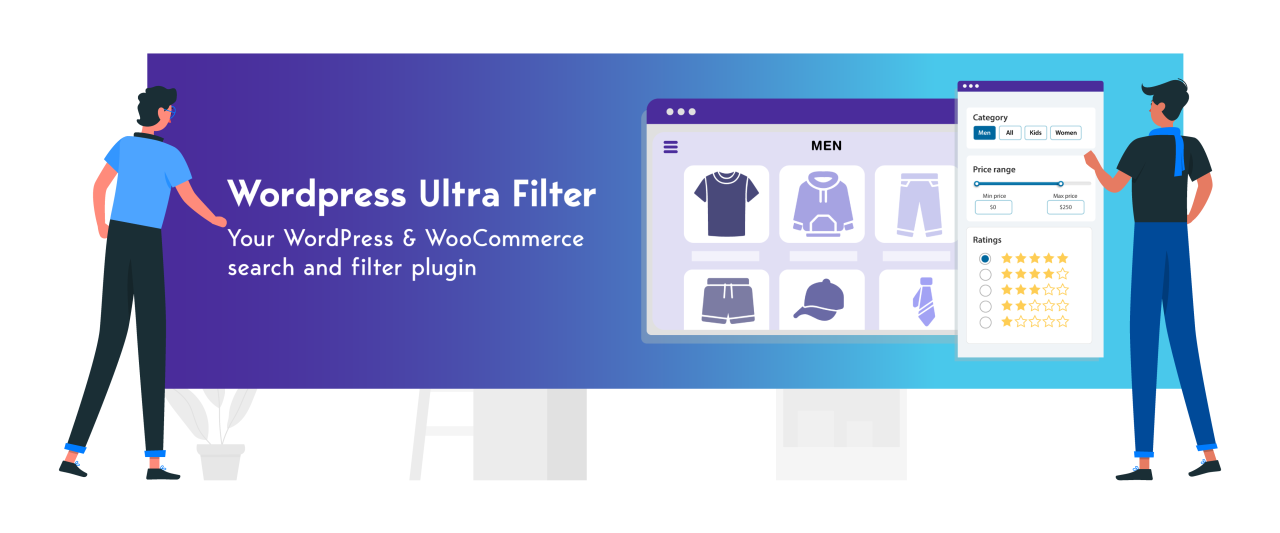
Filter Everything와 같은 플러그인이 복잡한 콘텐츠 필터링의 요구를 완전히 충족하지 못한다고 느낀다면, 더 유연하고 고급스러운 대안인 WP Ultra Filter를 고려해 보세요. 이 플러그인은 블로그부터 대규모 온라인 스토어까지 다양한 WordPress 사이트에 맞게 사용자 정의할 수 있는 빠르고 직관적인 필터링 경험을 제공합니다.
WP Ultra Filter 은(는) 사용자 정의 글 유형, WooCommerce 제품, 계층형 카테고리를 포함한 다양한 콘텐츠 유형을 완벽하게 지원하는 현대적인 필터링 솔루션을 제공합니다. 사용자 친화적인 인터페이스와 AJAX 기술로 구동되는 즉각적인 필터 결과를 통해 이 플러그인은 방문자 참여를 높이는 동시에 관련 콘텐츠를 더 빠르게 찾을 수 있도록 돕습니다. 다음은 WP Ultra Filter의 주요 기능 중 일부입니다:
- 실시간 AJAX 필터링: 페이지를 새로 고치지 않고도 검색 결과가 즉시 표시되어 속도와 사용자 편의성을 유지합니다.
- 모든 WordPress 콘텐츠 유형(게시물, 페이지, WooCommerce 제품, 사용자 정의 게시물 유형)을 지원합니다.
- 주요 플러그인과 호환: WPML, ACF, WooCommerce와 원활하게 통합되어 보다 세부적인 필터링 요구 사항을 충족합니다.
- 고급 WooCommerce 제품 필터: 가격, 크기, 색상, 평점, 재고 상태 및 기타 사용자 정의 속성으로 필터링할 수 있습니다.
- 유연한 표시 옵션: 위젯, 숏코드 또는 자동 배치를 사용하여 사이드바, 콘텐츠 위 또는 전용 페이지에 필터를 배치할 수 있습니다.
- 사용자 정의 가능한 필터 디자인: 사이트 스타일에 맞게 색상, 글꼴, 세로/가로 레이아웃 및 열 수를 자유롭게 조정하세요.
- 분류 및 계층형 카테고리 필터: 카테고리와 하위 카테고리가 많은 디렉터리나 온라인 스토어에 이상적입니다.
- 결합 검색 필터: 키워드 검색과 여러 필터 기준을 결합하여 더 정확한 결과를 얻을 수 있습니다.
- 사용자 친화적인 설정: 직관적인 관리자 인터페이스와 숏코드 시스템으로 필터를 쉽게 만들고 표시할 수 있습니다.
콘텐츠를 더 쉽게 탐색해 보세요!
블로그부터 전자상거래 상점까지, WP Ultra Filter 은 게시물, 제품 및 사용자 정의 게시물 유형에 대한 실시간 필터링을 제공합니다 — 코딩이 필요하지 않습니다.
WP Ultra Filter vs Filter Everything (비교)

사이트 방문자가 콘텐츠나 제품을 쉽고 빠르게 찾을 수 있도록 WordPress에 가장 적합한 필터 플러그인을 선택하는 것이 중요합니다. 이를 위한 인기 플러그인으로는 WP Ultra Filter 과 Filter Everything이 있습니다.
각각은 반응형이고 사용하기 쉬운 필터 기능을 제공하는 데 있어 서로 다른 장점과 접근 방식을 가지고 있습니다. 다음은 여러 측면에서 이들을 비교한 것입니다.
기능 비교

WP Ultra Filter 는 프리미엄 버전으로 전환하지 않고도 다양한 뛰어난 기능을 즉시 제공하는 완벽한 필터링 솔루션입니다. 모든 콘텐츠 유형(게시물, 페이지, WooCommerce 제품, 사용자 정의 게시물 유형)에 대한 지원부터 실시간 AJAX 필터, 유연한 디자인 옵션, WooCommerce, WPML, ACF와 같은 주요 플러그인과의 통합까지 제한 없이 사용할 수 있습니다. 외관, 필터 위치를 사용자 정의하고 다중 기준 필터를 쉽고 빠르게 적용할 수 있어 대규모 콘텐츠 사이트와 온라인 스토어에 탁월한 선택입니다.
반면, Filter Everything은 무료 버전에서 사용자 경험 측면에서 상당히 제한적입니다. 필터 결과에 대한 SEO 지원, 특정 페이지나 아카이브에 대한 개별 필터, 빈 필터 숨기기 기능 등과 같은 몇 가지 중요한 기능은 모두 유료 버전에서만 사용할 수 있습니다. 즉, 무료 버전 사용자는 유연성과 기본 기능을 타협해야 합니다.
속도 비교

속도와 성능 면에서 WP Ultra Filter 은 가벼운 아키텍처와 효율적인 AJAX 사용 덕분에 돋보입니다. 페이지를 새로 고칠 필요 없이 필터가 거의 즉시 적용되어, 여러 제품과 카테고리가 있는 온라인 스토어에서 사용하더라도 더 부드럽고 반응이 빠른 사용자 경험을 제공합니다.
한편, Filter Everything은 AJAX 기반 필터 시스템도 제공하지만, 일부 사용자 리뷰에서는 필터를 선택할 때 짜증나는 시간 지연이 있다고 지적했습니다. 한 사용자는 필터를 하나만 적용하는 데 약 3~4초가 걸렸고, 다른 필터를 선택하려면 기다려야 했다고 보고했습니다. 이는 특히 상품 수가 많은 WooCommerce 스토어에서 사용자 경험에 확실히 부정적인 영향을 미칩니다.
사용자 인터페이스 비교

WP Ultra Filter 은 매우 사용자 친화적이고 깔끔한 인터페이스를 제공하므로 관리자와 사용자가 필터를 쉽게 만들고 사용할 수 있습니다. 드롭다운, 체크박스, 라디오 버튼과 같은 다양한 디자인 옵션과 필터 배치(위젯, 숏코드, 자동)의 유연성 덕분에 이 플러그인은 테마 구조를 변경하지 않고도 쉽게 통합할 수 있습니다.
한편, Filter Everything은 WP Ultra Filter보다 여전히 더 전통적이고 시각적으로 유연성이 떨어지는 사용자 인터페이스를 가지고 있습니다. 기능적이기는 하지만, Filter Everything의 외관과 설정은 더 경직되어 있고 다양한 기기에서 반응성이 떨어지는 느낌입니다. 반대로, WP Ultra Filter 은 구성의 용이성과 더 현대적이고 반응형인 디자인에서 뛰어납니다.
호환성 비교

WP Ultra Filter 은 WooCommerce, WPML, Advanced Custom Fields(ACF)와 같은 인기 플러그인과 원활하게 작동하도록 설계되었으며 버전 제한 없이 다양한 페이지 빌더를 지원합니다. 안정적이고 직관적인 필터 시스템은 블로그, 전자상거래, 디렉터리 등 어떤 사이트에서든 매우 유연하게 사용할 수 있습니다.
Filter Everything는 WooCommerce 및 WPML과 같은 타사 플러그인과도 호환됩니다. 그러나 Elementor나 Gutenberg와 같은 페이지 빌더와의 통합은 프로 버전에서만 사용할 수 있습니다. 즉, 무료 버전 사용자는 업그레이드 없이 시각적으로 통합된 필터를 구축하기 어려울 수 있습니다. 반면, WP Ultra Filter 은 무료 버전에서도 완전한 호환성을 제공하므로 처음부터 더 실용적이고 효율적인 솔루션입니다.
WP Ultra Filter의 실제 사용 사례

WP Ultra Filter 은 높은 유연성을 위해 설계되었으며 다양한 웹사이트에 통합할 수 있습니다. 다음은 실제 적용 사례 몇 가지입니다.
블로그
많은 글과 카테고리가 있는 블로그에서 WP Ultra Filter 은 독자가 몇 번의 클릭만으로 관련 콘텐츠를 쉽게 찾을 수 있게 해줍니다. 사용자는 페이지를 새로고침하지 않고도 카테고리, 태그, 날짜 또는 작성자별로 필터링할 수 있습니다. 방문자가 원하는 콘텐츠를 더 빠르게 찾기 때문에 체류 시간을 크게 늘리고 이탈률을 줄이는 데 도움이 됩니다. 현대적이고 눈에 띄지 않는 필터 디자인 덕분에 이 플러그인은 개인 블로그와 뉴스 미디어 사이트에 적합합니다.
WooCommerce 스토어
온라인 스토어는 구매자가 상품을 검색하다 답답해하지 않도록 빠른 탐색이 필요합니다. WP Ultra Filter 은 방문자를 기다리게 하지 않고 상품 카테고리, 가격, 속성, 재고 여부 등을 기준으로 즉시 필터링을 제공합니다. WooCommerce와의 안정적인 통합으로 모든 필터가 최신 상품 데이터로 작동합니다. WP Ultra Filter 는 수백 개의 상품과 옵션이 있는 스토어에서도 다른 솔루션보다 속도와 설정 용이성 면에서 뛰어납니다.
포트폴리오 웹사이트
디자이너, 사진작가 또는 프리랜서에게 WP Ultra Filter 는 작업물을 체계적이고 매력적인 방식으로 선보일 수 있도록 도와줍니다. 방문자는 프로젝트 유형, 고객, 연도 또는 기술별로 포트폴리오를 필터링할 수 있습니다. 반응형이며 사용자 정의 가능한 필터는 메인 사이트 디자인을 방해하지 않으면서 전문적인 시각적 미학을 유지합니다. 이는 더 정돈된 인상을 만들어 잠재 고객이 관련 작업물을 더 쉽게 평가할 수 있게 해줍니다.
사용자 정의 디렉터리
For directory websites such as property listings, SME directories, or organizational databases, WP Ultra Filter helps users quickly find entries. Filters can be set by location, service type, price, and other custom parameters. This plugin is highly flexible for complex scenarios because it supports Custom Post Types and Advanced Custom Fields (ACF). Site managers can add filters as needed without manual coding, speeding up the development of specialized search features.
지금 바로 더 나은 검색 경험을 구축해 보세요!
WP Ultra Filter — 궁극의 AJAX 기반 WordPress 및 WooCommerce 필터링 플러그인으로 방문자가 원하는 것을 정확히 찾을 수 있도록 도와주세요.
Conclusion
Filter Everything는 간단한 필터링 시스템이 필요한 WordPress 사용자들 사이에서 상당히 인기가 많습니다. 그러나 온라인 스토어, 대규모 디렉터리 또는 콘텐츠가 많은 사이트와 같은 더 복잡한 요구 사항에 사용될 경우, 이 플러그인은 특히 유연성, 속도 및 고급 기능과 관련하여 몇 가지 한계를 보여줍니다. SEO 친화적인 URL, 사용자 정의 쿼리 지원, 결합 키워드 검색과 같은 중요한 기능은 유료 버전에서만 사용할 수 있어 무료 사용자가 사이트의 잠재력을 최대한 활용하는 데 제한이 있습니다.
프리미엄 버전에 의존하지 않고 더 반응성이 뛰어나고 유연하며 사용하기 쉬운 필터링 솔루션이 필요하다면 고려해 볼 만한 대안이 있습니다. WP Ultra Filter 는 모든 WordPress 사이트를 위한 완벽한 기능, 높은 호환성, 사용자 친화적인 인터페이스를 갖추고 있습니다. 이제 사이트의 콘텐츠 필터링 경험을 업그레이드할 때입니다—지금 WP Ultra Filter 를 사용해 보고 차이를 느껴보세요!
블로그를 구독하시면, 사이트에 새로운 업데이트가 있을 때 이메일을 보내드리므로 놓치지 않으실 수 있습니다.