สินค้า WordPress
 Joomla products
 การสนับสนุน
 ข่าว
ข่าว Login
Login20+ ปลั๊กอิน WordPress ชั้นเยี่ยมสำหรับจัดการรูปภาพ

การเพิ่มรูปภาพบนเว็บไซต์ของคุณช่วยเพิ่มชีวิตชีวาให้กับเนื้อหาและเพิ่มการมีส่วนร่วม อย่างไรก็ตาม รูปภาพขนาดใหญ่จะทำให้เว็บไซต์ทำงานช้าและเพิ่มเวลาในการโหลดหน้าเว็บ ซึ่งส่งผลเสียต่อ SEO ของคุณและสร้างความหงุดหงิดให้กับผู้เข้าชม.
นั่นคือเหตุผลที่การจัดการรูปภาพอย่างมีประสิทธิภาพมีความสำคัญอย่างยิ่งต่อการเพิ่มประสิทธิภาพ ความสวยงาม และ SEOของเว็บไซต์ของคุณ ตัวอย่างเช่น การใช้ปลั๊กอิน WordPress สามารถทำให้รูปภาพของคุณดูน่าสนใจและช่วยให้เว็บไซต์ของคุณทำงานหรือโหลดได้อย่างรวดเร็ว
ในบทความนี้ เราจะแบ่งปันปลั๊กอิน WordPress ที่ดีที่สุดสำหรับการจัดการรูปภาพบนเว็บไซต์ของคุณ เพื่อมอบประสบการณ์ที่ดีขึ้นให้กับผู้เข้าชมของคุณ
สารบัญ
- ปลั๊กอิน WordPress ที่ดีที่สุดสำหรับการจัดการรูปภาพ
- 1. WP Media Folder
- 2. NextGEN Gallery
- 3. EWWW Image Optimizer
- 4. Envira Gallery
- 5. Media File Renamer
- 6. Enable Media Replace
- 7. Smush
- 8. Default Featured Image
- 9. Easy Watermark
- 10. Soliloquy
- 11. Smart Slider 3
- 12. Imsanity
- 13. Smash Balloon Instagram Feed Pro
- 14. Folders
- 15. Regenerate Thumbnails
- 16. Media Cleaner
- 17. reSmush.it
- 18. Featured Image from URL (FIFU)
- 19. Optimole
- 20. Draw Attention
- 21. Final Tiles Grid
- บทสรุป
ปลั๊กอิน WordPress ที่ดีที่สุดสำหรับการจัดการรูปภาพ
ไม่ว่าคุณจะทำบล็อก พอร์ตโฟลิโอ หรือ ร้านค้าออนไลน์ การจัดการรูปภาพอย่างมีประสิทธิภาพเป็นสิ่งจำเป็น ค้นพบปลั๊กอิน WordPress ที่ดีที่สุดเพื่อลดความซับซ้อนในการจัดระเบียบสื่อและเพิ่มประสิทธิภาพเว็บไซต์
1. WP Media Folder
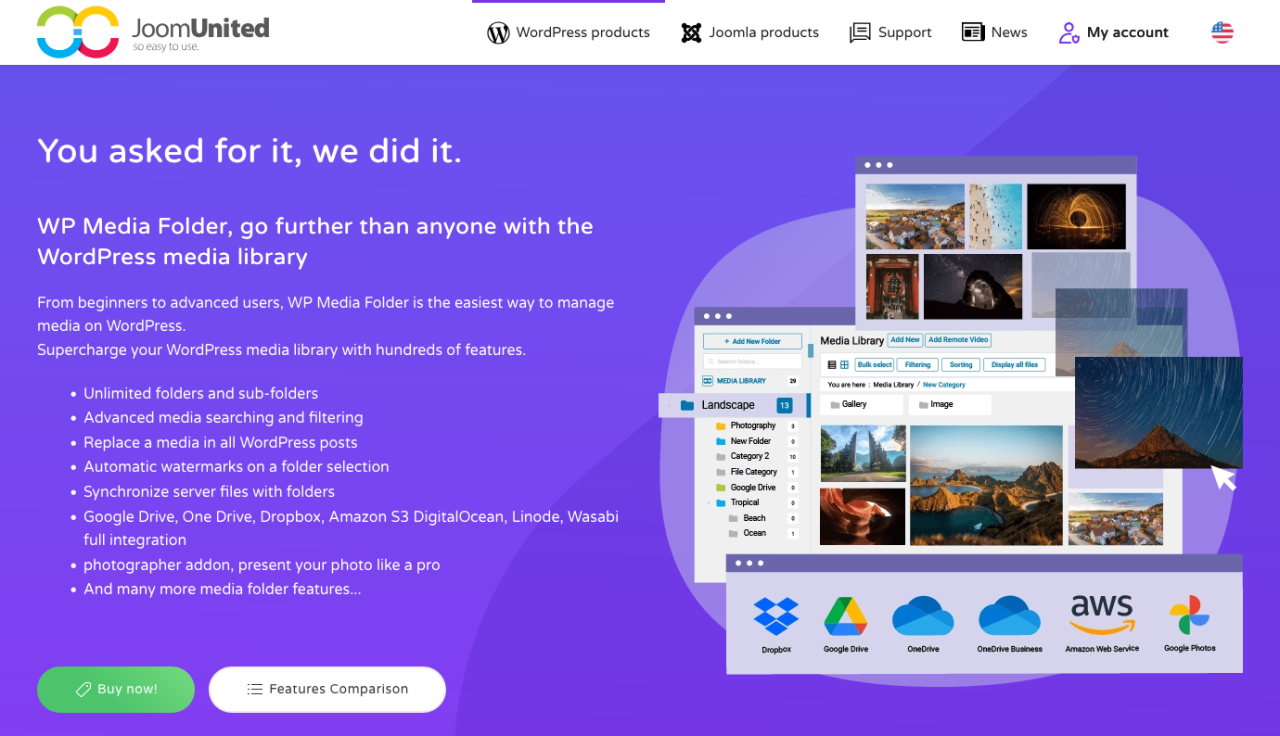
หากคลังสื่อ WordPress ของคุณเริ่มยุ่งเหยิง WP Media Folder นำเสนอโซลูชันอัจฉริยะที่ใช้โฟลเดอร์เป็นฐานสำหรับจัดระเบียบรูปภาพของคุณ ปลั๊กอินนี้ขยายคลังสื่อพื้นฐานโดยให้คุณสร้างโฟลเดอร์และโฟลเดอร์ย่อย เพื่อให้คุณจัดการรูปภาพนับพันได้อย่างง่ายดาย
ในส่วนหลังบ้าน รองรับการจัดระเบียบด้วยการลากและวาง การกรองไฟล์ การจัดลำดับรูปภาพ และการซิงค์โฟลเดอร์โดยตรงกับเซิร์ฟเวอร์ของคุณ ในส่วนหน้าบ้าน WP Media Folder ผสานรวมกับตัวสร้างแกลเลอรี ช่วยให้คุณสร้างแกลเลอรีรูปภาพที่สวยงามได้โดยตรงจากโฟลเดอร์สื่อของคุณ นอกจากนี้ยังมีตัวเลือกขั้นสูง เช่น การแทนที่สื่อ (โดยไม่ทำให้ลิงก์เสีย) และการผสานรวมกับบริการจัดเก็บข้อมูลบนคลาวด์ เช่น Google Drive, Dropbox และ OneDrive.
เป็นเครื่องมืออันทรงพลังสำหรับทุกคนที่ต้องการควบคุมทรัพยากรสื่อของตนมากขึ้น ไม่ว่าคุณจะเป็นบล็อกเกอร์ เอเจนซี่ หรือเจ้าของร้านค้าออนไลน์
ข้อดี:
- การจัดระเบียบสื่อในโฟลเดอร์และโฟลเดอร์ย่อย
- ผสานการทำงานกับคลาวด์สตอเรจและซิงค์อัตโนมัติ
- รองรับคลังสื่อของ WordPress แบบเนทีฟ
ข้อเสีย:
- บางฟีเจอร์ต้องใช้ Cloud Addon
ราคา:
- เริ่มต้นที่ $49 ต่อปีสำหรับปลั๊กอินแบบสแตนด์อโลน
- Bundle พร้อม Cloud Addon เริ่มต้นที่ $69 ต่อปี
บอกลาคลังสื่อที่ยุ่งเหยิงได้เลย.
WP Media Folder ช่วยให้คุณจัดหมวดหมู่ไฟล์ ซิงค์โฟลเดอร์กับที่จัดเก็บบนคลาวด์ สร้างแกลเลอรีที่น่าทึ่ง และแม้แต่เปลี่ยนรูปภาพโดยไม่ทำให้ลิงก์เสีย
เพิ่มประสิทธิภาพเวิร์กโฟลว์สื่อของคุณวันนี้
2. NextGEN Gallery
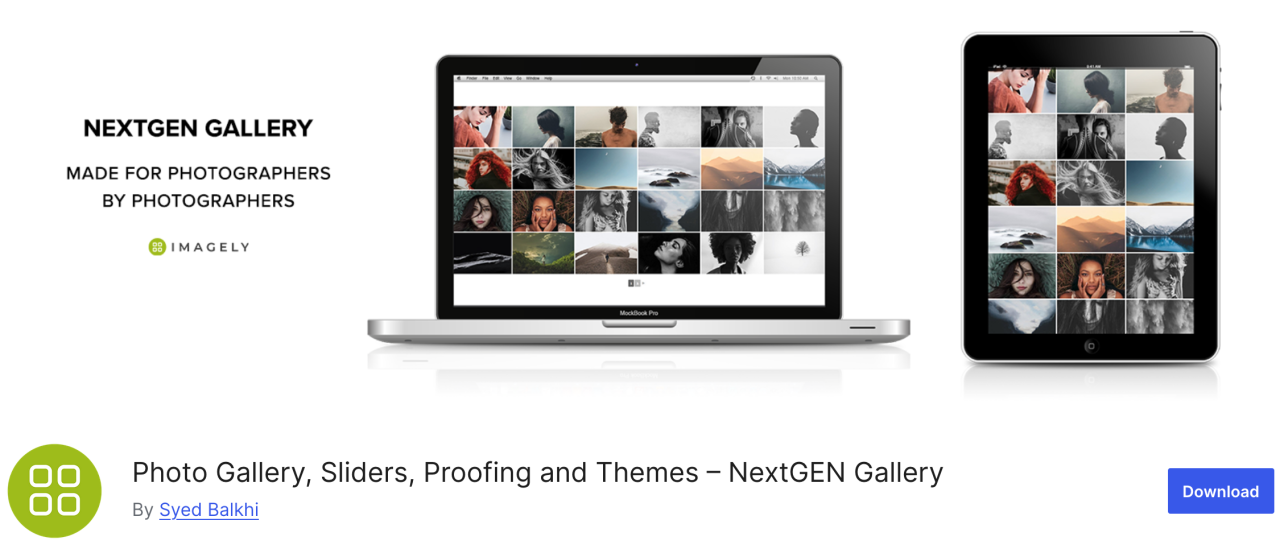
หากคุณกำลังมองหาปลั๊กอินอเนกประสงค์ NextGEN Gallery มีตัวเลือกการจัดการรูปภาพหลากหลายรูปแบบ ในส่วนหลังบ้านมีฟีเจอร์ต่างๆ เช่น การอัปโหลดแบบเป็นชุด การแก้ไขภาพขนาดย่อ การนำเข้าข้อมูลเมตา และอื่นๆ ส่วนในฝั่งหน้าบ้านมีสไตล์แกลเลอรีสามแบบและสไตล์อัลบั้มสองแบบ
ปลั๊กอินนี้เป็นโซลูชันที่ครอบคลุมทุกด้านที่ดี นอกจากนี้ แกลเลอรีและอัลบั้มเหล่านี้ยังปรับแต่งได้อย่างเต็มที่ในด้านสไตล์ จังหวะการเปลี่ยนภาพ เอฟเฟกต์ไลต์บ็อกซ์ และอื่นๆ อีกมากมาย
ข้อดี:
- การอัปโหลดแบบเป็นชุดและการจัดเรียงภาพ
- มีไลท์บ็อกซ์และสไลด์โชว์
ข้อเสีย:
- ฟีเจอร์จำกัดในเวอร์ชันฟรี
ราคา:
- มีเวอร์ชัน Lite ให้ใช้ แต่แผน Starter เริ่มต้นที่ $69.50 ต่อปี
3. EWWW Image Optimizer
EWWW Image Optimizer เป็นหนึ่งในปลั๊กอิน WordPress ที่ดีที่สุด มาพร้อมเครื่องมืออันทรงพลังในการบีบอัดรูปภาพโดยไม่กระทบต่อคุณภาพ อย่างที่คุณทราบ รูปภาพใช้เวลาโหลดนานกว่าข้อความ และสิ่งนี้ส่งผลต่อความเร็วและประสิทธิภาพของเว็บไซต์ของคุณ
ด้วยปลั๊กอินนี้ คุณสามารถปรับแต่งรูปภาพของคุณสำหรับเว็บเพื่อประสิทธิภาพที่ดีขึ้นและยกระดับประสบการณ์ของผู้เยี่ยมชม
ข้อดี:
- รองรับรูปแบบ WebP
- การบีบอัดรูปภาพอัตโนมัติ
ข้อเสีย:
- คุณสมบัติขั้นสูงบางอย่างถูกล็อกไว้ในเวอร์ชันพรีเมียม
ราคา:
- ใช้ฟรี
4. Envira Gallery
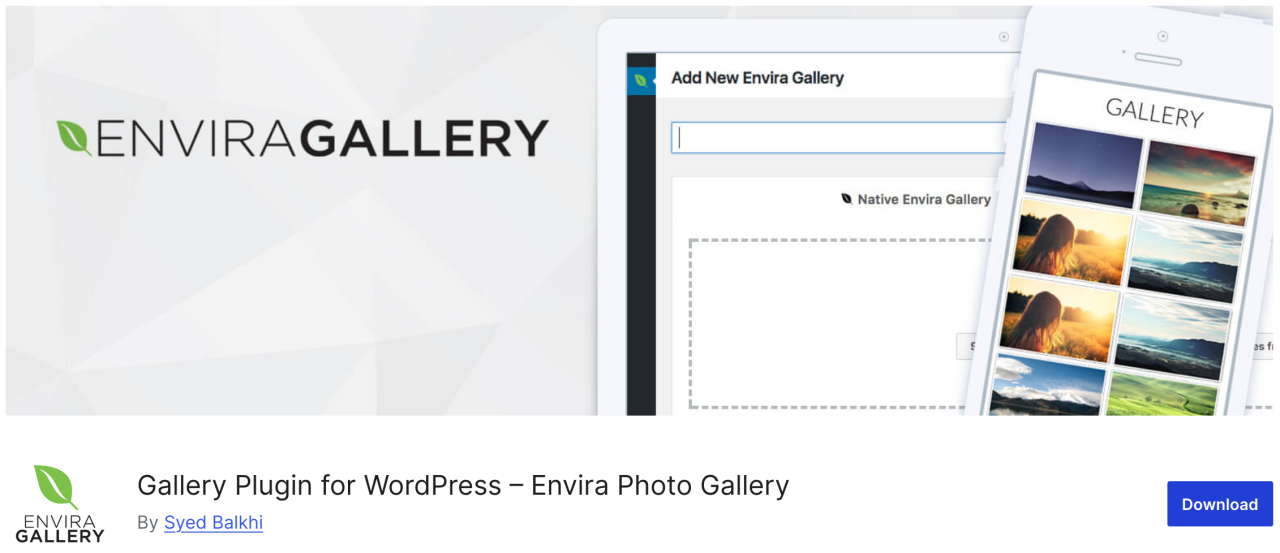
ต่อไป Envira Gallery เป็นปลั๊กอินที่ช่วยให้คุณสร้างแกลเลอรีรูปภาพที่สวยงามและรองรับมือถือใน WordPress ได้ในไม่กี่คลิก มีฟีเจอร์จัดการรูปภาพมากมาย เช่น อัลบั้ม การติดแท็กรูปภาพ การใส่ลายน้ำ การพิสูจน์อักษร การป้องกันด้วยรหัสผ่าน และอื่นๆ อีกมากมาย
ยิ่งไปกว่านั้น มันเป็นปลั๊กอินแกลเลอรีรูปภาพที่เป็นมิตรกับ SEO มากที่สุดสำหรับ WordPress และมีส่วนเสริมสำหรับการเชื่อมโยงลึกและการแบ่งหน้า นอกจากนี้ยังมีการผสานรวมกับ WooCommerce ที่ช่วยให้คุณเพิ่มร้านค้าออนไลน์เพื่อขายรูปภาพของคุณได้
ข้อดี:
- เป็นมิตรกับ SEO
- การเชื่อมต่อ WooCommerce
- ตัวสร้างแบบลากและวาง
ข้อเสีย:
- ฟีเจอร์ส่วนใหญ่ต้องใช้แผนแบบชำระเงิน
- การปรับแต่งถูกจำกัดในเวอร์ชันฟรี
ราคา:
- มีเวอร์ชันฟรี ซึ่งเป็นเวอร์ชัน Lite
- แผนพื้นฐานเริ่มต้นที่ $39.50 ต่อปี
5. Media File Renamer
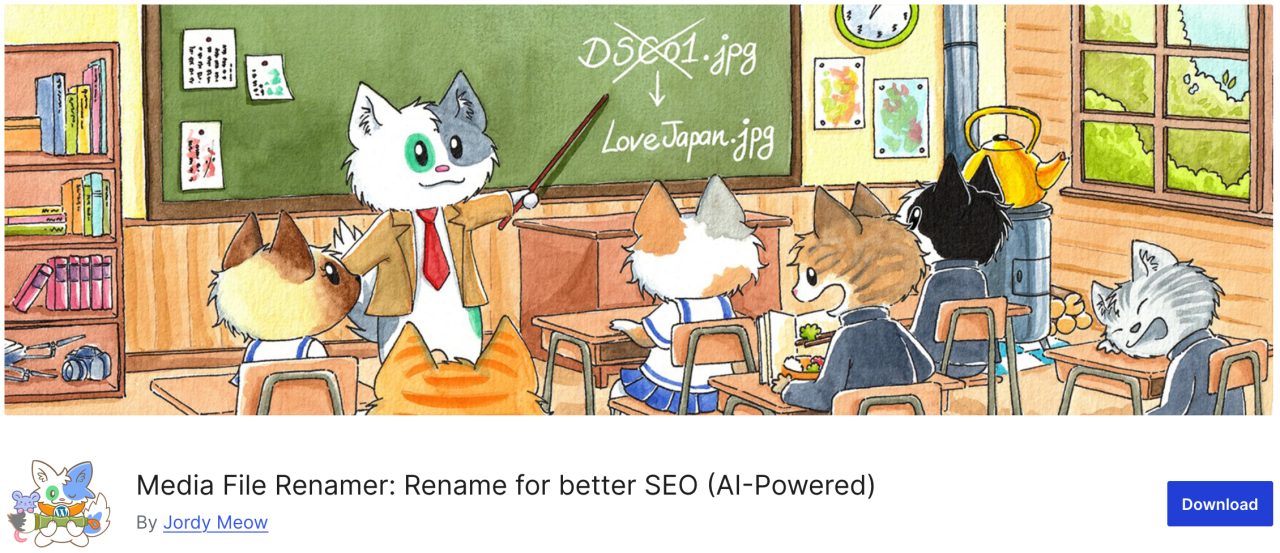
หากคุณกำลังมองหาปลั๊กอินที่ช่วยให้คุณเปลี่ยนชื่อไฟล์ใดๆ ในคลังสื่อของ WordPress ได้ Media File Renamer ถือเป็นตัวเลือกที่ยอดเยี่ยม โดยจะเปลี่ยนชื่อไฟล์โดยอัตโนมัติตามชื่อไฟล์ที่คุณป้อนระหว่างการอัปโหลด
เมื่อคุณเปลี่ยนชื่อไฟล์โดยใช้ปลั๊กอินนี้ มันจะอัปเดตการอ้างอิงทั้งหมดไปยังไฟล์นั้นในโพสต์และหน้าเพจ WordPress ของคุณด้วย
ข้อดี:
- เปลี่ยนชื่อไฟล์สื่อโดยอัตโนมัติหรือด้วยตนเอง
- ปรับปรุง SEO และการจัดระเบียบ
- ซิงค์ชื่อไฟล์กับชื่อเรื่อง
ข้อเสีย:
- เวอร์ชันฟรีมีฟีเจอร์น้อยกว่า
- อาจไม่เข้ากันได้กับบางธีม/ปลั๊กอิน
ราคา:
- มีเวอร์ชันฟรีให้ใช้
- เวอร์ชัน Pro เริ่มต้นที่ $29
6. Enable Media Replace
ปลั๊กอินตัวถัดไปช่วยให้คุณสามารถแทนที่ไฟล์สื่อได้โดยตรงจากคลังสื่อของ WordPress หากคุณต้องแทนที่รูปภาพในโพสต์ WordPress ของคุณ Enable Media Replace สามารถช่วยประหยัดเวลาของคุณได้ เพราะมันช่วยให้เปลี่ยนรูปภาพได้ง่าย คุณไม่จำเป็นต้องแก้ไขโพสต์เพื่อเพิ่มรูปภาพใหม่และลบรูปภาพเก่าออก
ข้อดี:
- แทนที่ไฟล์สื่อที่มีอยู่ได้อย่างง่ายดาย
- ประหยัดเวลาเมื่อเทียบกับการแทนที่ด้วยตนเอง
ข้อเสีย:
- ไม่มีการควบคุมเวอร์ชันหรือประวัติ
- จำกัดเฉพาะการแทนที่ทีละรายการ
ราคา:
- ใช้ฟรี
7. Smush
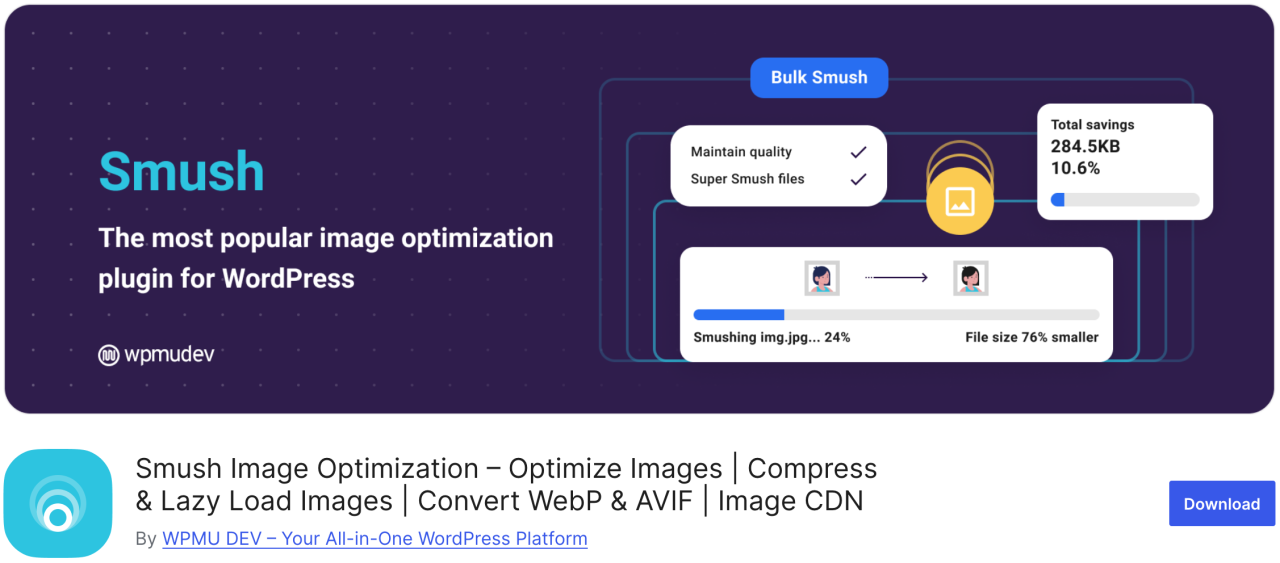
หนึ่งในปลั๊กอินเพิ่มประสิทธิภาพรูปภาพที่ได้รับความนิยมและใช้งานง่ายที่สุดคือ Smush คุณสามารถใช้มันเพื่อบีบอัดรูปภาพแบบเป็นกลุ่มได้สูงสุดถึง 50 รูป ซึ่งช่วยประหยัดเวลาของคุณและของผู้เข้าชม อีกทั้งยังระบุรูปภาพที่ทำให้การโหลดช้าลงได้อีกด้วย
เวอร์ชันฟรีใช้งานได้กับรูปแบบ .png, .jpeg และ .gif ส่วนรูปแบบ WebP จะใช้ได้เฉพาะในเวอร์ชันโปรของปลั๊กอินเท่านั้น
ข้อดี:
- การบีบอัดรูปภาพแบบกลุ่ม
- รองรับ Lazy load
- ทำงานร่วมกับ CDN
ข้อเสีย:
- WebP ใช้ได้เฉพาะในเวอร์ชัน Pro
ราคา:
- มีเวอร์ชันฟรีให้ใช้งาน
- เวอร์ชัน Pro พื้นฐานเริ่มต้นที่ $15 ต่อเดือน
8. Default Featured Image

หากคุณต้องจัดการผู้เขียน-ผู้มีส่วนร่วมหลายคน คุณอาจพบว่าตัวเองอยู่ภายใต้ความกดดันในการจัดหาภาพที่โดดเด่นสำหรับบทความจำนวนมากในเวลาอันสั้น ด้วยปลั๊กอิน Default Featured Image คุณสามารถตั้งค่าภาพเพื่อใช้ในกรณีที่ไม่ได้ระบุภาพคุณสมบัติพิเศษไว้ แม้ว่ามันจะเป็นเพียงโลโก้ธุรกิจของคุณ การปล่อยให้ว่างเปล่าก็ยังดีกว่าอย่างมาก
ข้อดี:
- ช่วยรักษาความสม่ำเสมอของเลย์เอาต์
- ตั้งค่าและใช้งานได้ง่าย
ข้อเสีย:
- ตัวเลือกการปรับแต่งที่จำกัด
ราคา:
- ใช้ฟรี
9. Easy Watermark

หากคุณกังวลว่าผู้คนจะขโมยรูปภาพของคุณและอ้างว่าเป็นของตนเอง คุณสามารถใส่ลายน้ำให้กับรูปภาพทั้งหมดของคุณได้โดยใช้ Easy Watermark คุณสามารถใส่ลายน้ำให้กับรูปภาพขณะอัปโหลด หรือรูปภาพที่มีอยู่ในคลังสื่อของคุณแล้วก็ได้
ข้อดี:
- รองรับลายน้ำแบบข้อความและรูปภาพ
- การประมวลผลแบบเป็นชุด
ข้อเสีย:
- ไม่มีตัวเลือกเลิกทำหลังจากใส่ลายน้ำ
ราคา:
- ใช้ฟรี
10. Soliloquy
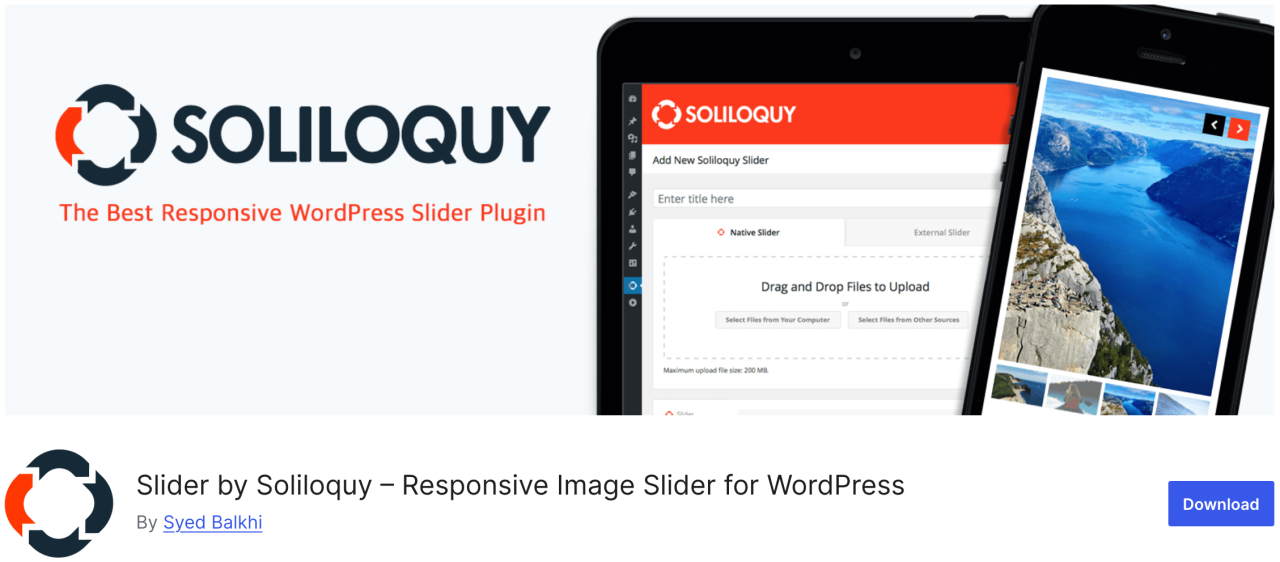
Soliloquy เป็นปลั๊กอินที่ใช้งานได้รวดเร็วและง่ายขึ้น พร้อมฟีเจอร์มากมาย เช่น สไลเดอร์เนื้อหาแนะนำ, คารูเซล, ธีมสไลเดอร์, ไลท์บ็อกซ์ และอื่นๆ อีกมากมาย ช่วยให้คุณดึงความสนใจของผู้ใช้ไปยังเนื้อหาที่สำคัญที่สุดของคุณ เช่น สไลด์โชว์รูปภาพที่มาพร้อมข้อความ, ปุ่มเรียกร้องให้ดำเนินการ และแอนิเมชัน
ข้อดี:
- มีน้ำหนักเบาและรวดเร็ว
- ตัวสร้างแบบลากและวาง
ข้อเสีย:
- เทมเพลตมีจำกัดในเวอร์ชันฟรี
ราคา:
- มีเวอร์ชันฟรีให้ใช้งาน
- แผนพรีเมียมเริ่มต้นที่ $19.50 ต่อปี
11. Smart Slider 3
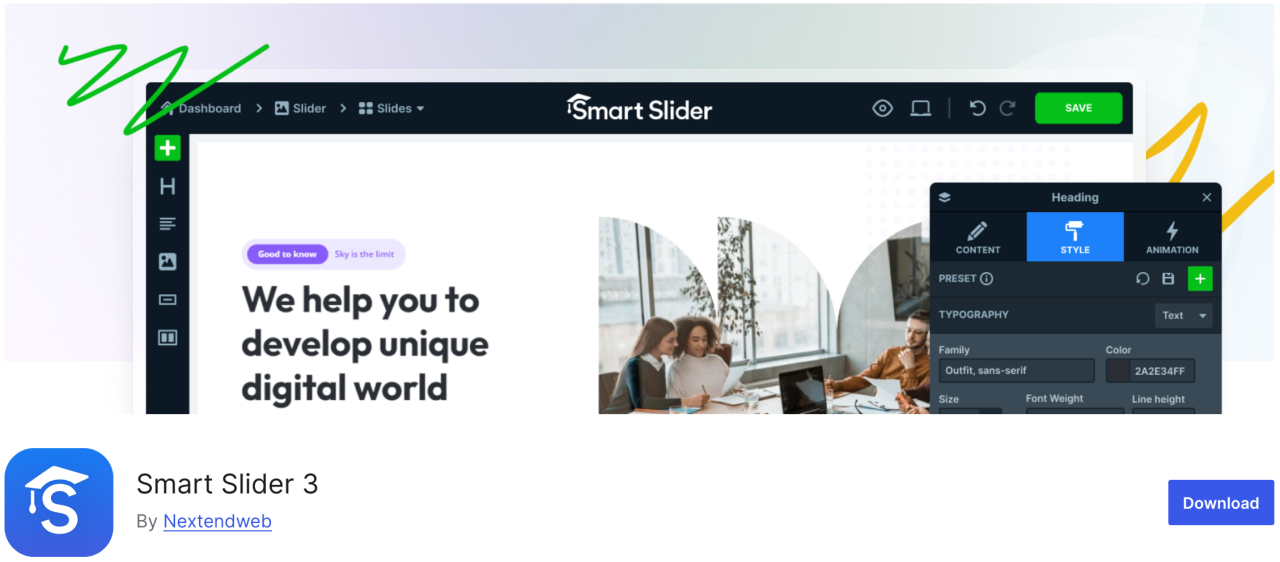
ปลั๊กอินนี้มาพร้อมกับตัวปรับแต่งแบบลากและวางที่สวยงาม ช่วยให้คุณสร้างสไลด์โชว์ได้อย่างรวดเร็ว ใช้งานง่ายและมีฟีเจอร์มากมาย เช่น แอนิเมชัน ทรานซิชันที่สวยงาม สไลเดอร์ที่รองรับมือถือ และอื่นๆ อีกมากมาย
ข้อดี:
- เป็นมิตรกับ SEO และประสิทธิภาพ
- รองรับมือถือ
ข้อเสีย:
- เทมเพลต/ฟีเจอร์บางอย่างถูกล็อกไว้ในเวอร์ชัน Pro
ราคา:
- มีเวอร์ชันฟรีให้ใช้งาน
- เวอร์ชันเสียค่าใช้จ่ายเริ่มต้นที่ $49
12. Imsanity
Imsanity เป็นปลั๊กอินตัวเลือกที่ยอดเยี่ยมซึ่งสามารถปรับขนาดไฟล์ที่อัปโหลดไว้ก่อนหน้าเป็นชุดตามการตั้งค่าของคุณ ช่วยให้คุณกำหนดความสูงและความกว้างสูงสุดของรูปภาพสำหรับการอัปโหลดใน WordPress และปรับขนาดไฟล์รูปภาพขนาดใหญ่โดยอัตโนมัติ
ข้อดี:
- ปรับขนาดรูปภาพขนาดใหญ่โดยอัตโนมัติ
- ปรับขนาดรูปภาพที่มีอยู่ทั้งหมด
ข้อเสีย:
- มีฟีเจอร์พื้นฐาน
- ไม่บีบอัด เพียงปรับขนาด
ราคา:
- มีเวอร์ชันฟรีให้ใช้งาน
13. Smash Balloon Instagram Feed Pro

หนึ่งในปลั๊กอิน WordPress ที่ได้รับความนิยมมากที่สุดคือ Smash Balloon Instagram Feed Pro ซึ่งคุณสามารถเพิ่มรูปภาพ Instagram ลงในเว็บไซต์ของคุณได้ นอกจากนี้ยังปรับแต่งรูปภาพโดยอัตโนมัติเพื่อให้แน่ใจว่าเว็บไซต์ของคุณยังคงรวดเร็วและตอบสนองได้ดี.
นอกจากนี้ ด้วยปลั๊กอินนี้ คุณสามารถเชื่อมโยงหน้าสินค้าของคุณกับรูปภาพ Instagram และเปลี่ยนเส้นทางผู้ใช้เพื่อเพิ่มยอดขายของคุณ
ข้อดี:
- แสดงฟีด Instagram ได้อย่างสวยงาม
- เลย์เอาต์ที่ปรับแต่งได้สูง
ข้อเสีย:
- ต้องใช้เวอร์ชัน Pro สำหรับฟีเจอร์ส่วนใหญ่
ราคา:
- เริ่มต้นที่ $49
14. Folders

Folders เป็นปลั๊กอินฟรีที่ช่วยให้คุณจัดเรียงและจัดการรูปภาพในคลังสื่อ ทำให้คุณสามารถกรองและจัดระเบียบเนื้อหาสื่อได้ ด้วยปลั๊กอินนี้ คุณสามารถสร้างโฟลเดอร์หลายโฟลเดอร์เพื่อเพิ่มรูปภาพ วิดีโอ เพลง และเนื้อหาอื่นๆ แยกจากกัน
ข้อดี:
- จัดระเบียบสื่อให้เป็นโฟลเดอร์
- ใช้งานได้กับสื่อ หน้า และโพสต์
- อินเทอร์เฟซแบบลากและวาง
ข้อเสีย:
- เวอร์ชันฟรีมีข้อจำกัด
ราคา:
- มีเวอร์ชันฟรีให้ใช้งาน
- เวอร์ชัน Pro เริ่มต้นที่ $49 ต่อปี
15. Regenerate Thumbnails

ปลั๊กอินที่ยอดเยี่ยมนี้ช่วยให้คุณสร้างขนาดรูปภาพทั้งหมดใน WordPress ใหม่ได้อย่างรวดเร็ว ตัวอย่างเช่น หากคุณเปิดใช้งานธีมดังกล่าว WordPress จะเริ่มบันทึกรูปภาพในขนาดใหม่เหล่านั้น อย่างไรก็ตาม มันจะไม่สร้างขนาดใหม่สำหรับรูปภาพเก่า นอกจากนี้ ธีม WordPress ยังสามารถเพิ่มขนาดรูปภาพของตนเพื่อใช้สำหรับภาพขนาดย่อได้อีกด้วย
ข้อดี:
- สร้างภาพขนาดย่อใหม่สำหรับรูปภาพทั้งหมด
- มีประโยชน์หลังเปลี่ยนธีม
ข้อเสีย:
- ไม่มีการตั้งเวลาหรือระบบอัตโนมัติ
- ไม่ลบภาพขนาดย่อเก่า
ราคา:
- ใช้ฟรี
16. Media Cleaner

ปลั๊กอิน Media Cleaner ช่วยลบรูปภาพที่ไม่ได้ใช้และเสียหายออกจากคลังสื่อ WordPress ของคุณโดยอัตโนมัติ หลังจากเวลาหนึ่ง ไฟล์รูปภาพในโฟลเดอร์ถังขยะจะถูกลบอย่างถาวร
ด้วยเหตุนี้ เราขอแนะนำให้คุณสำรองข้อมูลเว็บไซต์ทั้งหมดก่อนติดตั้งปลั๊กอินนี้ แม้ว่ามันจะเก็บรูปภาพที่ถูกลบไว้ในโฟลเดอร์ถังขยะเพื่อให้คุณตรวจสอบก็ตาม
ข้อดี:
- ล้างไฟล์สื่อที่ไม่ได้ใช้และเสียหาย
- ช่วยลดความหนักของเว็บไซต์
ข้อเสีย:
- เสี่ยงต่อการลบไฟล์สำคัญหากไม่ระมัดระวัง
- ต้องใช้เวอร์ชัน Pro เพื่อใช้งานได้เต็มรูปแบบ
ราคา:
- มีเวอร์ชันฟรีให้ใช้งาน
- เวอร์ชัน Pro เริ่มต้นที่ $29
17. reSmush.it
ปลั๊กอินเพิ่มประสิทธิภาพรูปภาพ WordPress ยอดนิยมอีกตัวหนึ่งคือ reSmush.it ซึ่งเป็นปลั๊กอินที่มีเทคโนโลยีขั้นสูงในการลดขนาดไฟล์รูปภาพ JPG, PNG และ GIF ได้อย่างรวดเร็ว นอกจากนี้ยังมีตัวเลือกการเพิ่มประสิทธิภาพรูปภาพแบบเป็นชุด ระดับการเพิ่มประสิทธิภาพ และอื่นๆ อีกมากมาย คุณมีการควบคุมอย่างเต็มที่โดยสามารถยกเว้นรูปภาพที่ไม่ต้องการเพิ่มประสิทธิภาพได้
ข้อดี:
- การปรับแต่งรูปภาพฟรี
- รองรับการประมวลผลแบบเป็นชุด
ข้อเสีย:
- การปรับแต่งรูปภาพขนาดใหญ่ช้ากว่า
- ไม่รองรับ WebP
ราคา:
- มีเวอร์ชันฟรีให้ใช้งาน
18. Featured Image from URL (FIFU)

ปลั๊กอินนี้ช่วยให้คุณเพิ่มรูปภาพเด่น วิดีโอ และเสียงได้โดยไม่ต้องอัปโหลดไปยังคลังสื่อ เพียงคัดลอกลิงก์ของรูปภาพ จากนั้นมันจะอัปโหลดโดยตรงไปยังโพสต์บล็อกของคุณ ยังใช้งานร่วมกับ WooCommerce และปลั๊กอินแกลเลอรีสินค้าได้อีกด้วย
ปลั๊กอินนี้จะช่วยประหยัดค่าใช้จ่ายมหาศาลสำหรับค่าพื้นที่จัดเก็บและการประมวลผลรูปภาพ เนื่องจากปลั๊กอินไม่บันทึกรูปภาพลงในคลังสื่อของคุณ
ข้อดี:
- ใช้ URL รูปภาพภายนอกเป็นภาพที่โดดเด่น
- การสร้างภาพขนาดย่ออัตโนมัติ
ข้อเสีย:
- ส่งผลต่อความเร็วในการโหลดหากเซิร์ฟเวอร์ภายนอกทำงานช้า
- บางธีมอาจไม่รองรับรูปภาพเด่นที่ใช้ URL
ราคา:
- ใช้ฟรี
- แผนแบบชำระเงินเริ่มต้นที่ €29.90 ต่อปี
19. Optimole
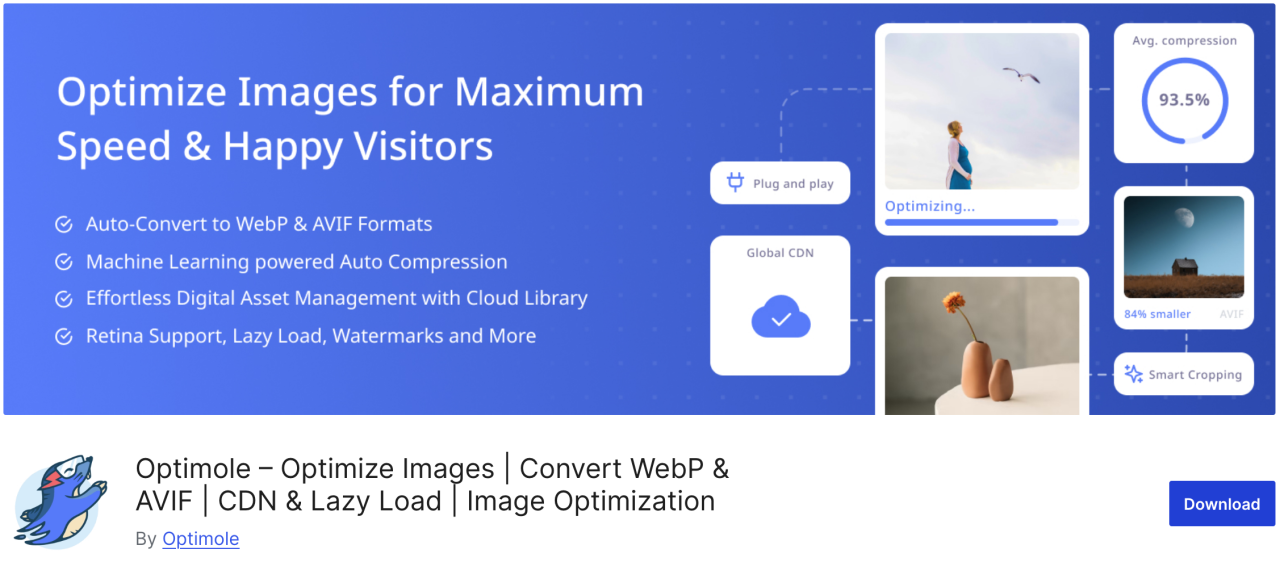
Optimole เป็นปลั๊กอินบนคลาวด์ที่ปรับแต่งรูปภาพของคุณแบบเรียลไทม์เพื่อเพิ่มความเร็วให้กับเว็บไซต์ของคุณ ปลั๊กอินนี้จะเลือกขนาดที่ดีที่สุดสำหรับรูปภาพของคุณโดยอัตโนมัติตามเบราว์เซอร์ ขนาดหน้าจอ และอุปกรณ์ของผู้ใช้ นอกจากนี้ยังมาพร้อมกับตัวเลือก lazy loading และ CDN เพื่อปรับปรุงเวลาในการโหลดหน้าเว็บ
ข้อดี:
- การปรับแต่งรูปภาพบนคลาวด์
- การปรับขนาดภาพแบบเรียลไทม์
- รองรับ Lazy load และ WebP
ข้อเสีย:
- ต้องมีบัญชี Optimole
- Limited monthly quota on free plan
ราคา:
- เริ่มต้นที่ $19.08 ต่อเดือน
20. Draw Attention
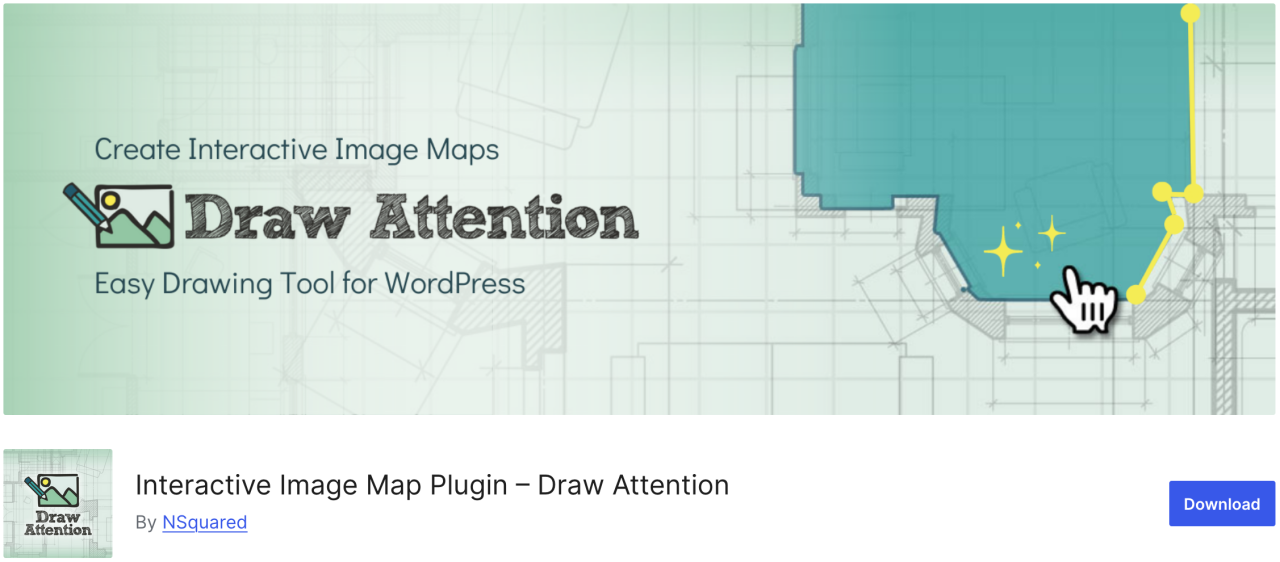
หากคุณต้องการสร้างภาพแบบอินเทอร์แอกทีฟสำหรับเว็บไซต์ของคุณได้อย่างง่ายดาย Draw Attention อาจเป็นตัวเลือกที่เหมาะสม ด้วยปลั๊กอินนี้ คุณสามารถเพิ่มจุดคลิกที่คลิกได้และกำหนดฟังก์ชันต่างๆ ให้กับจุดเหล่านั้น นอกจากนี้ยังให้ข้อมูลเพิ่มเติมเกี่ยวกับรูปภาพหรือหัวข้อของรูปภาพ เพิ่มลิงก์ไปยังหน้าเว็บอื่น หรืออัปโหลดรูปภาพที่จะแสดงเมื่อคลิกจุดนั้น
ข้อดี:
- รองรับการแสดงผลทุกขนาดหน้าจอและเหมาะสำหรับมือถือ
- ติดตามข้อมูลการคลิก
ข้อเสีย:
- Pro version needed for multiple image maps
ราคา:
- ใช้ฟรี
21. Final Tiles Grid
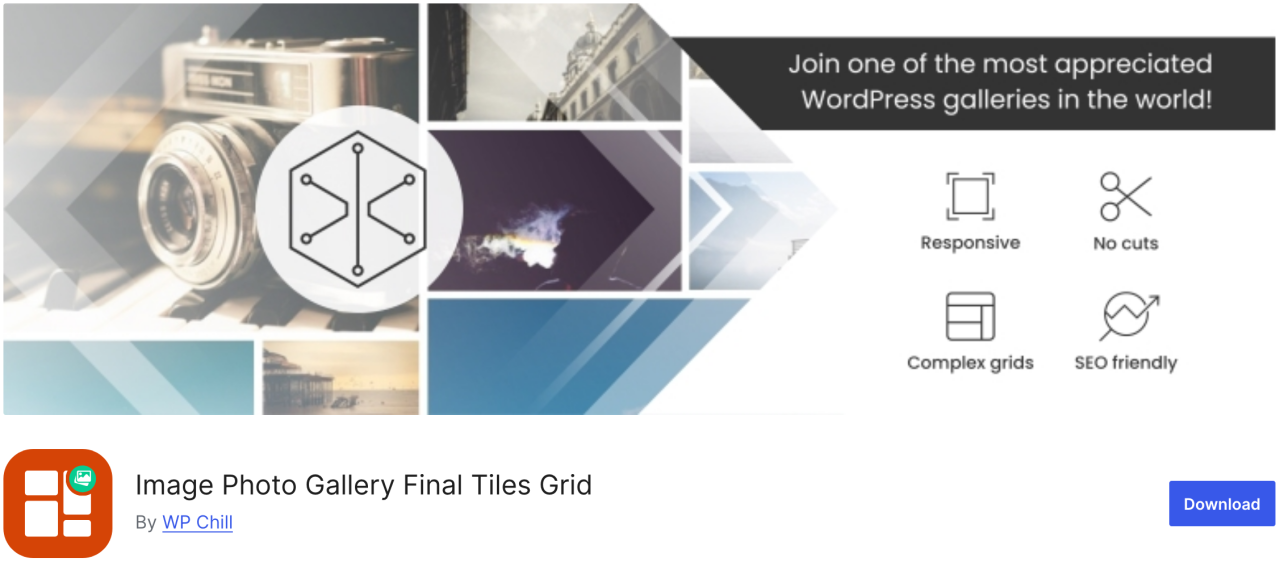
Final Tiles Grid is exactly the sort of plugin you need. If you want to resize images to make it fit a gallery layout, this plugin will arranging them in eye-catching asymmetrical layouts, which adapts to changing display sizes with a smooth animation. In addition, it offers a lightbox for extra visual impact and loads of sharing option.
Pros:
- ดีไซน์ตอบสนอง
- รองรับวิดีโอและสื่อผสม
ข้อเสีย:
- เวอร์ชันฟรีมีข้อจำกัด
- การปรับแต่งอาจต้องใช้ CSS
ราคา:
- ใช้ฟรี
เรียกผู้ดูแลเว็บทุกท่าน!
ประหยัดเวลาและเพิ่มประสิทธิภาพการทำงานด้วย WP Media Folder จัดระเบียบไฟล์มีเดียของลูกค้าได้อย่างง่ายดาย สร้างแกลเลอรีแบบกำหนดเอง และมอบประสบการณ์การใช้งานที่ราบรื่น
อัปเกรดโปรเจกต์เว็บไซต์ของคุณตอนนี้เลย!
บทสรุป
นั่นคือรายการปลั๊กอิน WordPress ที่ดีที่สุดสำหรับการจัดการรูปภาพบนเว็บไซต์ของคุณทั้งหมด การทำความเข้าใจข้อดีและข้อเสียของแต่ละปลั๊กอินจะช่วยให้คุณตัดสินใจได้อย่างมีข้อมูล ซึ่งจะช่วยเพิ่มประสิทธิภาพเวิร์กโฟลว์ของคุณและทำให้เนื้อหาของคุณดูดีที่สุดเสมอ
และหากคุณกำลังมองหาวิธีง่ายๆ ในการจัดระเบียบและจัดการรูปภาพทั้งหมดของคุณโดยตรงภายใน WordPress อย่าพลาด WP Media Folder โดย JoomUnited
เมื่อคุณสมัครรับบล็อก เราจะส่งอีเมลให้คุณเมื่อมีการอัปเดตใหม่บนเว็บไซต์เพื่อให้คุณไม่พลาด.