वर्डप्रेस उत्पाद
 जूमला उत्पाद
 समर्थन
 समाचार
 लॉगिन
लॉगिन10 सर्वश्रेष्ठ वर्डप्रेस मीडिया लाइब्रेरी प्लगइन्स जो आपको उपयोग करना चाहिए

जब एक नया वेबसाइट शुरू करते हैं, तो आप सहमत हो सकते हैं कि फ़ोल्डर्स के साथ मीडिया को व्यवस्थित करना प्राथमिकता नहीं है। लेकिन, जब सामग्री बढ़ रही है और मीडिया इसका एक बड़ा हिस्सा दर्शाता है, तो आप महसूस करेंगे कि यह सबसे बुनियादी हिस्सों में से एक है।.
सामग्री की तालिका
शुक्रिया, वहाँ वर्डप्रेस मीडिया लाइब्रेरी प्लगइन्स हैं जो आपको मीडिया फ़ाइलों को आसानी से और जल्दी से संभालने में मदद करते हैं, जैसे कि फ़ाइलों को वर्गीकृत करना, उन्हें बैच में संपादित करना, और उन फ़ाइलों को हटाना जिनकी आपको अब आवश्यकता नहीं है।.
तो, इस लेख में हमने आपकी वर्डप्रेस मीडिया लाइब्रेरी को बेहतर बनाने के लिए दस बेहतरीन विकल्प संकलित किए हैं । चलिए शुरू करते हैं!
1. WP Media Folder
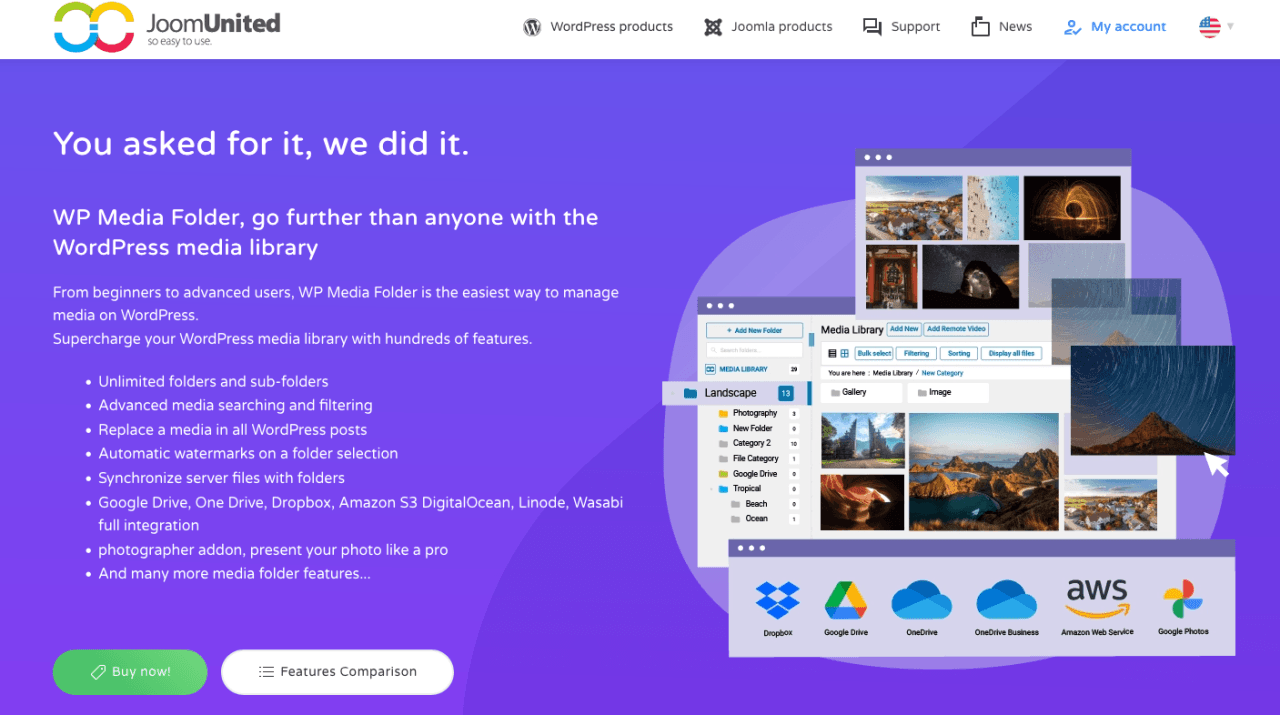
पहले, वहाँ WP Media Folder है जो विशेषता-समृद्ध विकल्पों के साथ आता है। यह आभासी और वास्तविक मीडिया फ़ोल्डर का एक अनोखा मिश्रण प्रदान करता है। यह आपके सर्वर से फ़ोल्डर आयात करने और सिंक करने का विकल्प प्रदान करता है जो आपने FTP के माध्यम से अपलोड किए हैं। आप अपने आभासी फ़ोल्डर को अपने सर्वर पर वास्तविक फ़ोल्डर में भी माइग्रेट कर सकते हैं।.
WP Media Folder उन लोगों के लिए एक आदर्श समाधान है जिन्हें अपनी वर्डप्रेस साइट पर बड़ी संख्या में मीडिया फ़ाइलों को प्रबंधित करने में परेशानी होती है। इसमें आप मीडिया को फ़ाइल प्रकार, आकार, शीर्षक और यहां तक कि अपनी इच्छानुसार क्रम में भी व्यवस्थित कर सकते हैं। इसका लाभ यह है कि यदि आप प्लगइन को अनइंस्टॉल करना चाहते हैं, तो आपकी कोई भी मीडिया फ़ाइल नष्ट नहीं होगी। साथ ही, यदि आप मीडिया को एक फ़ोल्डर से दूसरे फ़ोल्डर में ले जाते हैं, तो भी लिंक नहीं टूटेंगे।
इसकी एक उन्नत विशेषता यह है कि यह Google Drive, Dropbox, Amazon S3और अन्य के साथ सिंक हो सकता है। आप समान फ़ोल्डर संरचना को बनाए रख सकते हैं और फ़ाइलें आयात भी कर सकते हैं। उदाहरण के लिए, आप Google Drive पर एक फ़ाइल अपलोड कर सकते हैं और फिर उस फ़ाइल को अपने वर्डप्रेस डैशबोर्ड में एक्सेस कर सकते हैं, और यह सब Google Drive की समान फ़ोल्डर संरचना को बनाए रखते हुए होगा।
की मुख्य विशेषताएं WP Media Folder:
- डिफ़ॉल्ट रूप से आभासी मीडिया फ़ोल्डर बनाता है
- आधुनिक, ड्रैग-एंड-ड्रॉप इंटरफ़ेस
- कई सारे क्रमबद्ध और फ़िल्टर विकल्प
- फ़ोल्डर आइटम से गैलरी बनाएं
- Google ड्राइव, ड्रॉपबॉक्स, OneDrive, Google फ़ोटो, और Amazon S3 के साथ सिंक करें
- डिफ़ॉल्ट रूप से आभासी मीडिया फ़ोल्डर बनाता है
- अपने सर्वर से फ़ाइलें/फ़ोल्डर आयात करें जिन्हें आपने FTP के माध्यम से अपलोड किया है
- वर्चुअल फ़ोल्डर को अपने सर्वर पर वास्तविक मीडिया फ़ोल्डर में बदलने का विकल्प
- दूरस्थ-होस्ट किए गए वीडियो को मीडिया लाइब्रेरी आइटम के रूप में जोड़ें
अव्यवस्थित मीडिया लाइब्रेरी को अलविदा कहें।.
WP Media Folder आपको फ़ाइलों को वर्गीकृत करने, क्लाउड स्टोरेज के साथ फ़ोल्डर सिंक करने, अद्भुत गैलरी बनाने और लिंक तोड़ने के बिना चित्रों को बदलने की अनुमति देता है।
आज ही अपने मीडिया वर्कफ़्लो को अनुकूलित करें
2. वर्डप्रेस मीडिया लाइब्रेरी फ़ोल्डर्स
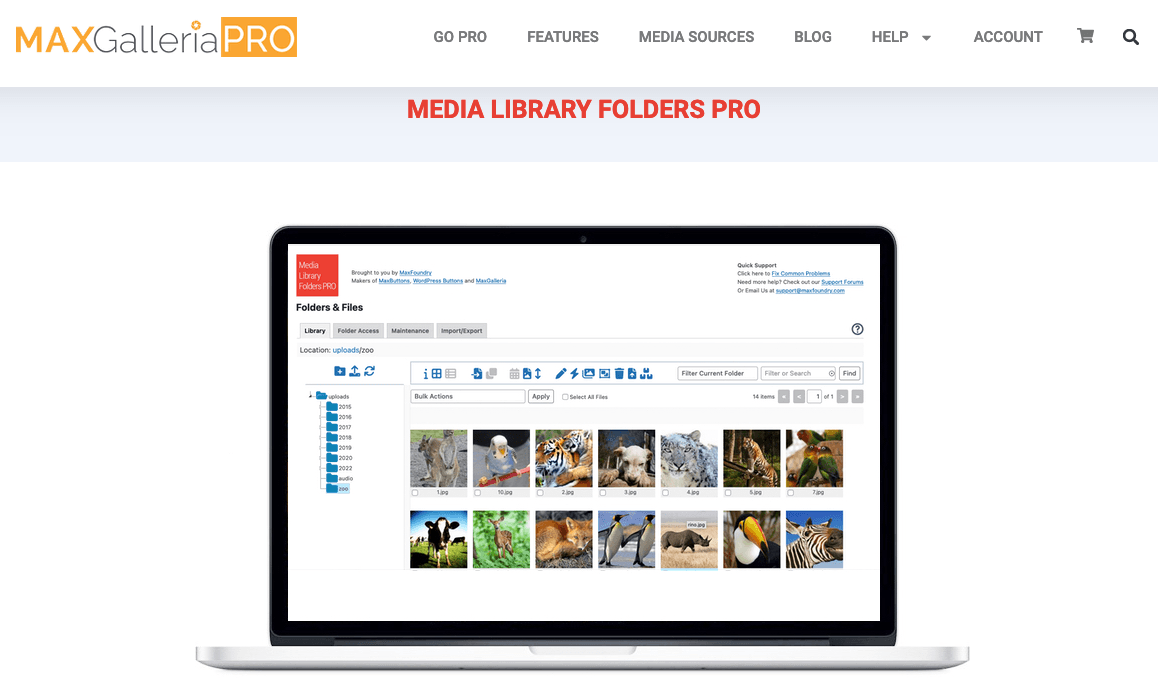
यदि आप अपने वर्डप्रेस मीडिया लाइब्रेरी की कार्यक्षमता बढ़ाने के लिए एक शक्तिशाली प्लगइन की तलाश में हैं, तो वर्डप्रेस मीडिया लाइब्रेरी फोल्डर्स सबसे अच्छा विकल्प होगा। इस प्लगइन की मदद से आप मीडिया लाइब्रेरी में फोल्डर बनाकर अपनी इमेज या अन्य फाइलों को व्यवस्थित रख सकते हैं।
इस प्लगइन में सब कुछ ड्रैग-एंड-ड्रॉप पर आधारित है, जिससे आप कम से कम प्रयास से फोल्डरों को पुनर्व्यवस्थित, कॉपी और डिलीट कर सकते हैं। वर्डप्रेस मीडिया लाइब्रेरी फोल्डर्स में इमेज थंबनेल को रीजेनरेट करने की एक उपयोगी बिल्ट-इन सुविधा और एक इमेज एसईओ टूल भी है जो इमेज अपलोड करते ही उनमें ALT और TITLE एट्रिब्यूट जोड़ देता है।
वर्डप्रेस मीडिया लाइब्रेरी फोल्डर्स की मुख्य विशेषताएं:
- वास्तविक फ़ोल्डर बनाएं जिससे आपकी मीडिया फ़ाइलों को व्यवस्थित करना आसान हो जाए
- ड्रैग-एंड-ड्रॉप इंटरफ़ेस के साथ फ़ाइलें और फ़ोल्डर स्थानांतरित करें, कॉपी करें, नाम बदलें और हटाएं
- छवियों को बदलने पर थंबनेल को पुन: उत्पन्न करें ताकि वे सही ढंग से प्रदर्शित हों
- अपलोड करते समय ALT और TITLE विशेषताएँ निर्दिष्ट करने के लिए एसईओ छवियाँ
- FTP के माध्यम से फ़ोल्डर अपलोड या स्थानांतरित करते समय फ़ोल्डर/फ़ाइलें सिंक्रनाइज़ करें
- श्रेणियों के साथ अपनी मीडिया लाइब्रेरी फ़ोल्डर व्यवस्थित करना
- अपने MLF फ़ोल्डर से सीधे नए MaxGalleria और NextGEN गैलरी बना रहा है
3. मीडिया लाइब्रेरी श्रेणियाँ
डिफ़ॉल्ट रूप से, प्लगइन आपके WordPress में पोस्ट और पेज के समान श्रेणियों का उपयोग करता है, लेकिन मीडिया लाइब्रेरी श्रेणियों के साथ आप अपनी मीडिया लाइब्रेरी में आइटम को एकल फ़ाइल या थोक में श्रेणियां असाइन कर सकते हैं। आप अपनी श्रेणियों का उपयोग अपनी खोजों में फ़िल्टर के रूप में भी कर सकते हैं जो फ़ाइलों को सामग्री लाइब्रेरी में आसानी से ढूंढने में मदद करता है।
भले ही इस प्लगइन में अन्य प्लगइन्स की तुलना में सबसे चिकना इंटरफ़ेस न हो, यह आवश्यक काम करता है बिना आपके WordPress साइट को अधिक कोड और सुविधाओं के साथ नीचे गिराए।
मीडिया लाइब्रेरी श्रेणियों की मुख्य विशेषताएं:
- मीडिया आइटम से श्रेणियां जोड़ें / संपादित करें / हटाएं
- बल्क क्रियाओं के साथ एक ही समय में कई आइटम की श्रेणी बदलें
- मीडिया लाइब्रेरी में श्रेणियों पर फ़िल्टर करें
- वर्गीकरण फ़िल्टर
- गैलरी शॉर्टकोड में श्रेणियों पर फ़िल्टर करें
4. वर्डप्रेस रियल मीडिया लाइब्रेरी
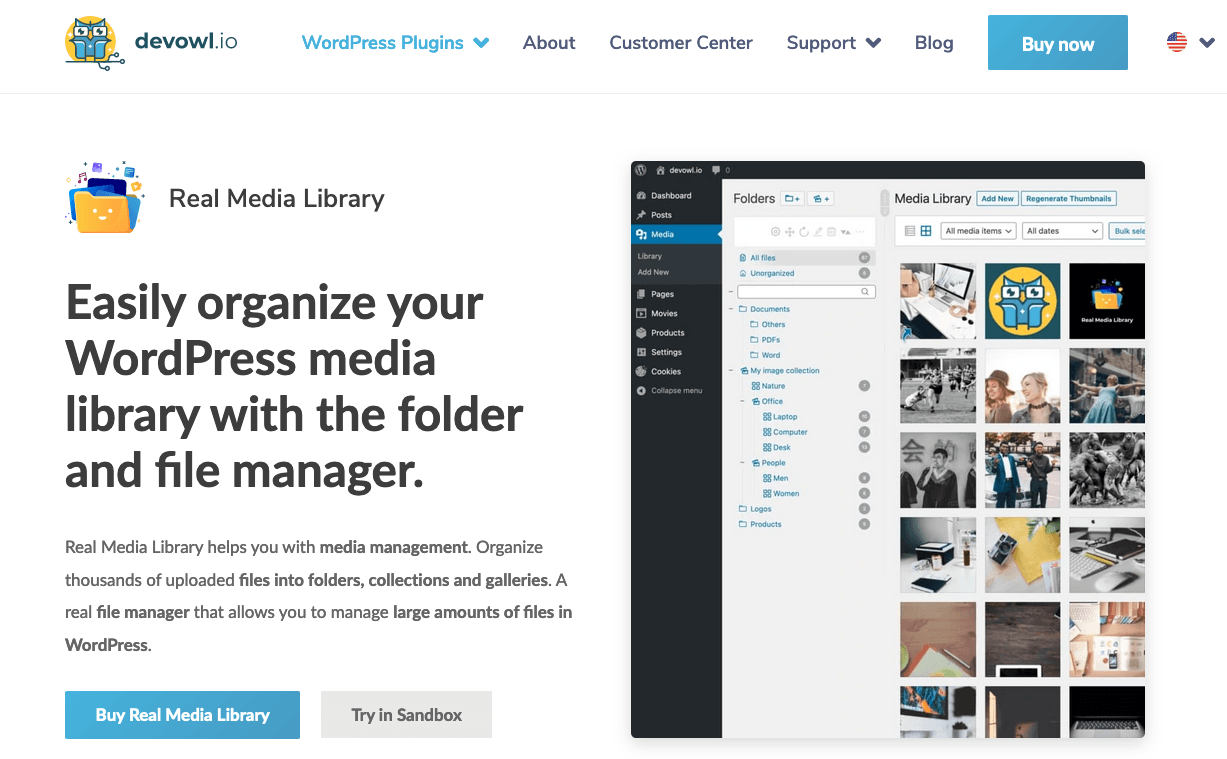
रियल मीडिया लाइब्रेरी एक बहुत ही उपयोगी वर्डप्रेस प्लगइन है जिसमें विशेषताएं हैं और मीडिया प्रबंधन में आपकी मदद करता है। यह आपको चित्रों और मीडिया फ़ाइलों को श्रेणियों और फ़ोल्डरों में व्यवस्थित करने में मदद करता है।
एक एकल टूलबार से, आप फ़ोल्डर बना सकते हैं, नाम बदल सकते हैं, हटा सकते हैं और पुनः व्यवस्थित कर सकते हैं साथ ही फ़ाइलों को ड्रैग-एंड-ड्रॉप कर सकते हैं। आप फ़िल्टर भी सेट कर सकते हैं, कस्टम सामग्री ऑर्डरिंग बना सकते हैं और सूची मोड में फ़ाइलें प्रदर्शित कर सकते हैं। नुकसान के रूप में, हम ध्यान दे सकते हैं कि इसमें स्वचालित फ़ाइल नाम बदलने जैसी एसईओ विशेषताएं नहीं हैं और कुछ विशेषताएं जैसे क्लाउड कनेक्टर्स अनुपलब्ध हैं।
वर्डप्रेस रियल मीडिया लाइब्रेरी की मुख्य विशेषताएं:
- अपलोड की स्वचालित पुनः व्यवस्था (जैसे फ़ाइल नाम द्वारा ए-ज़ेड)
- > 10,000 अपलोड के साथ भी महान प्रदर्शन के साथ चलता है
- अपनी मीडिया लाइब्रेरी में डुप्लीकेट से बचने के लिए शॉर्टकट
- नौ भाषाओं में अनुवादित
- भौतिक फ़ाइल पुन: व्यवस्थित करने से एसईओ लाभ (रियल फिजिकल मीडिया ऐड-ऑन के साथ)
5. मीडिया लाइब्रेरी को फ़ोल्डर्स द्वारा व्यवस्थित करें
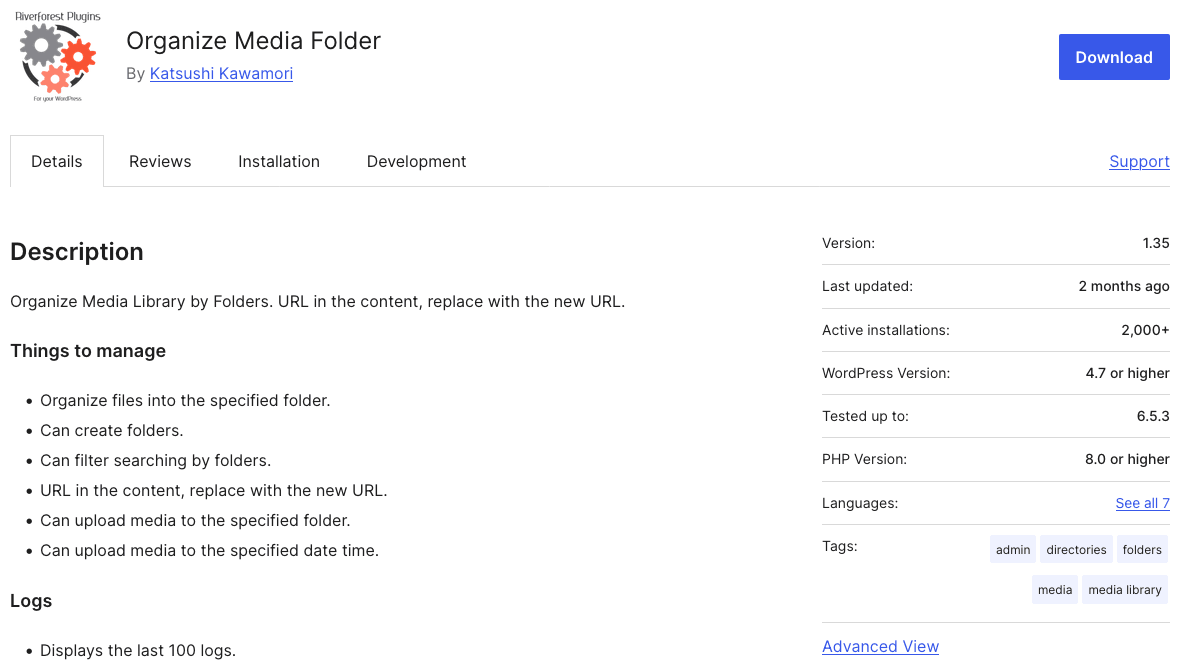
अगला मुफ़्त वर्डप्रेस मीडिया लाइब्रेरी प्लगइन काफ़ी सरल है। यह आपको मीडिया व्यू से अलग-अलग फ़ोल्डर बनाने और उन्हें फ़ोल्डर के रूप में व्यवस्थित करने की सुविधा देता है। इसके अलावा, अलग-अलग मैप बनाने से मीडिया आइटम कहाँ मिलेंगे, यह जानना आपके लिए बहुत आसान हो जाता है।
इसमें किसी भी थर्ड-पार्टी इंटीग्रेशन का ज़िक्र नहीं है और आप मीडिया मैनेजर लाइटबॉक्स में अपने मीडिया को फ़ोल्डरों में सॉर्ट नहीं कर सकते। फिर, अपने पसंदीदा एडिटर से, आप वर्डप्रेस मीडिया मैनेजर लोड कर सकते हैं और फ़ोल्डर के अनुसार अपने मीडिया को फ़िल्टर कर सकते हैं।
फ़ोल्डरों द्वारा मीडिया लाइब्रेरी को व्यवस्थित करने की मुख्य विशेषताएं:
- निर्दिष्ट फ़ोल्डर में फ़ाइलें व्यवस्थित करें
- फ़ोल्डर बना सकते हैं
- फ़ोल्डर द्वारा खोज को फ़िल्टर कर सकते हैं
6. फ़ाइलबर्ड
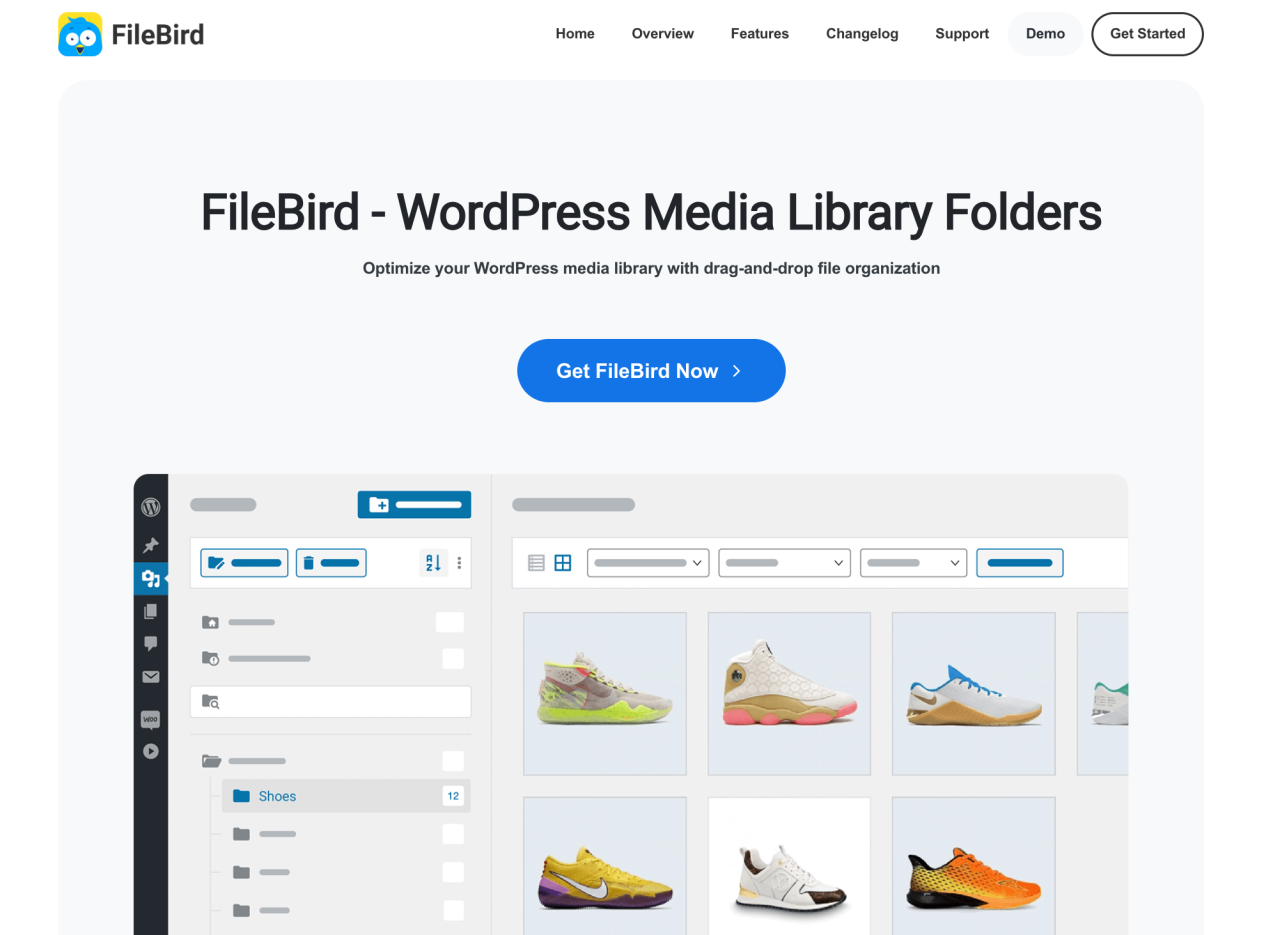
FileBird एक और WordPress प्लगइन है जो आपको अपनी अपलोड की गई फ़ाइलों को आसानी से अपनी मीडिया लाइब्रेरी में व्यवस्थित करने में मदद करता है। आप एक फ़ोल्डर बना सकते हैं, उसका नाम बदल सकते हैं या उसे हटा सकते हैं और अपनी फ़ाइलों को उसमें ड्रैग और ड्रॉप कर सकते हैं। फ़ोल्डर संरचना मीडिया लाइब्रेरी और "इन्सर्ट मीडिया" डायलॉग बॉक्स दोनों में अच्छी तरह से एकीकृत है और सभी प्रमुख पेज बिल्डरों, WPML और Polylang के साथ अच्छी तरह से संगत है।
यह प्लगइन सात भाषाओं में उपलब्ध है, जिनमें अंग्रेज़ी और जर्मन भी शामिल हैं, जिससे उपयोगकर्ता इसे अपनी मातृभाषा में आसानी से उपयोग कर सकते हैं।
FileBird की मुख्य विशेषताएं:
- एक उपयोगकर्ता-मित्री, ड्रैग-एंड-ड्रॉप इंटरफ़ेस
- एकाधिक फ़ोल्डर और सबफ़ोल्डर बनाने की क्षमता
- वर्डप्रेस एडिटर के भीतर फ़ाइल फ़िल्टरिंग क्षमताएं
- पेज बिल्डर, WooCommerce, और WPML संगतता
- तेज़ प्रवासन
- एकाधिक भाषाओं का समर्थन
7. कैटफ़ोल्डर्स
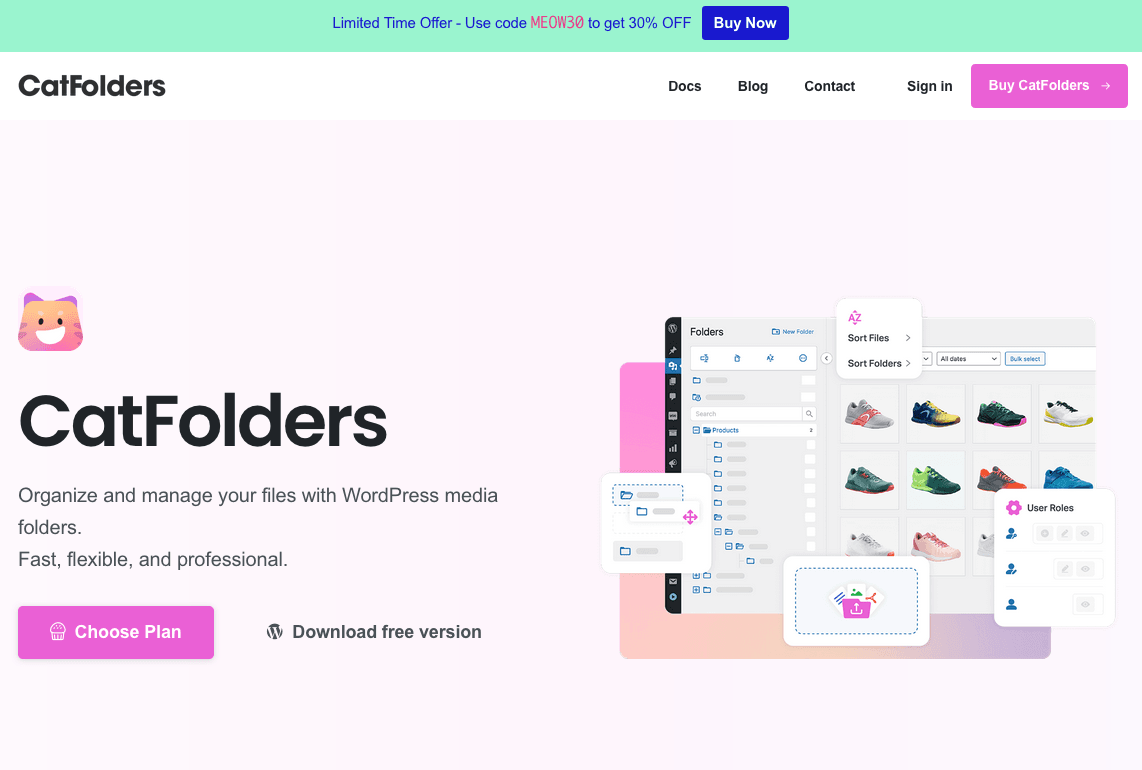
अगला प्लगइन आपको श्रेणीबद्ध फ़ोल्डरों के साथ अपनी मीडिया फ़ाइलों को प्रबंधित करने में मदद करने के लिए डिज़ाइन किया गया है। आप फ़ोल्डर बना सकते हैं और उन्हें अपनी इच्छानुसार व्यवस्थित कर सकते हैं। फ़ोल्डर ट्री के रूप में वर्गीकरण के साथ, नई मीडिया फ़ाइलें जोड़ना बहुत आसान है।
इसके अलावा, CatFolders वेब एजेंसियों और फ्रीलांसरों के लिए एक अच्छा विकल्प होगा क्योंकि यह असीमित वेबसाइटों के लिए किफायती मूल्य प्रदान करता है। यह उन अन्य प्लगइन्स की तुलना में एक लाभ हो सकता है जो असीमित साइट लाइसेंस का समर्थन नहीं करते हैं।
CatFolders की मुख्य विशेषताएं:
- ड्रैग और ड्रॉप उपयोगकर्ता इंटरफ़ेस
- मिडिया फ़ाइलों को अनुकूलन योग्य फ़ोल्डर में व्यवस्थित करें
- खोज बार और फ़िल्टर विकल्पों का उपयोग करके आसानी से मीडिया और संलग्नक ढूंढें
- अपनी फ़ोल्डर संगठन का बैकअप लें और उसे जल्दी से पुनर्स्थापित करें
- भूमिका-आधारित अनुमतियाँ केवल प्रशासकों और संपादकों तक पूर्ण पहुँच को सीमित करने की अनुमति देती हैं
- एकाधिक भाषाएँ समर्थित हैं
8. फ़ोल्डर्स
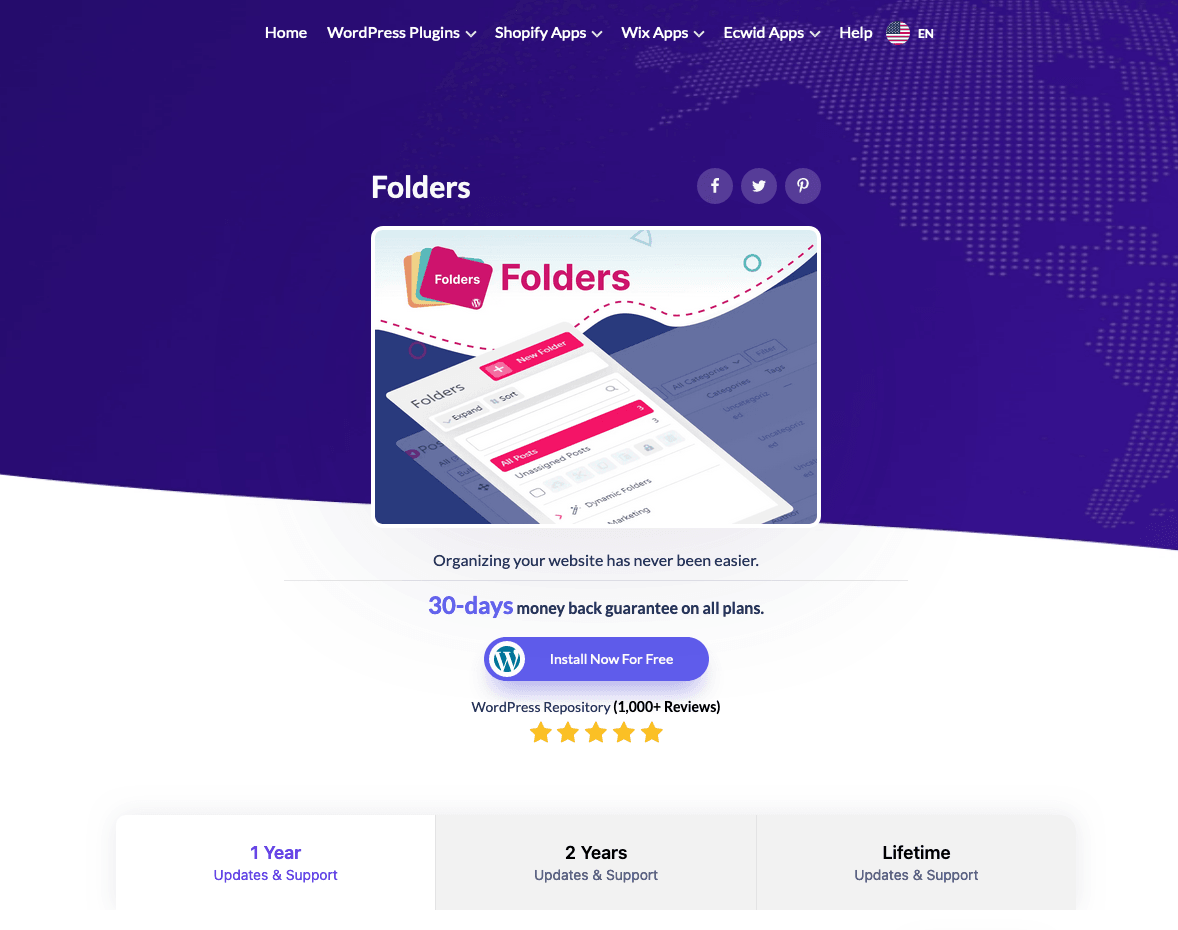
फ़ोल्डर एक सरल-से-उपयोग उपकरण है जो आपको विभिन्न सामग्री के लिए उप-फ़ोल्डर बनाने और चीजों को क्रम में रखने में सक्षम बनाता है। यह प्लगइन आपको मीडिया सामग्री को यथासंभव व्यवस्थित रखने में मदद करेगा।
इस प्लगइन की एक विशेषता यह है कि आप कहीं भी फ़ाइलों को आसानी से खींच और छोड़ सकते हैं और फ़ोल्डर ट्री दृश्य को अपनी इच्छानुसार बदल सकते हैं। हालांकि, उप-फ़ोल्डर बनाने के लिए आपको प्रो संस्करण की आवश्यकता है।
फ़ोल्डर की मुख्य विशेषताएं:
- आभासी मीडिया फ़ोल्डर बनाएँ
- बल्क-चयन छवियों और मीडिया फ़ाइलों को चुनें और उन्हें किसी भी फ़ोल्डर में खींचें
- आवश्यकतानुसार फ़ाइलों को फ़िल्टर और खोजें
- पृष्ठों, पोस्टों और मीडिया से फ़ोल्डर मेनू जोड़ें और हटाएं
- पोस्ट, पृष्ठ, और कस्टम पोस्ट प्रकार, और पुन: प्रयोज्य ब्लॉक को फ़ोल्डर में व्यवस्थित करें
- सरल और सहज उपयोगकर्ता इंटरफ़ेस
9. विक्ड फ़ोल्डर्स
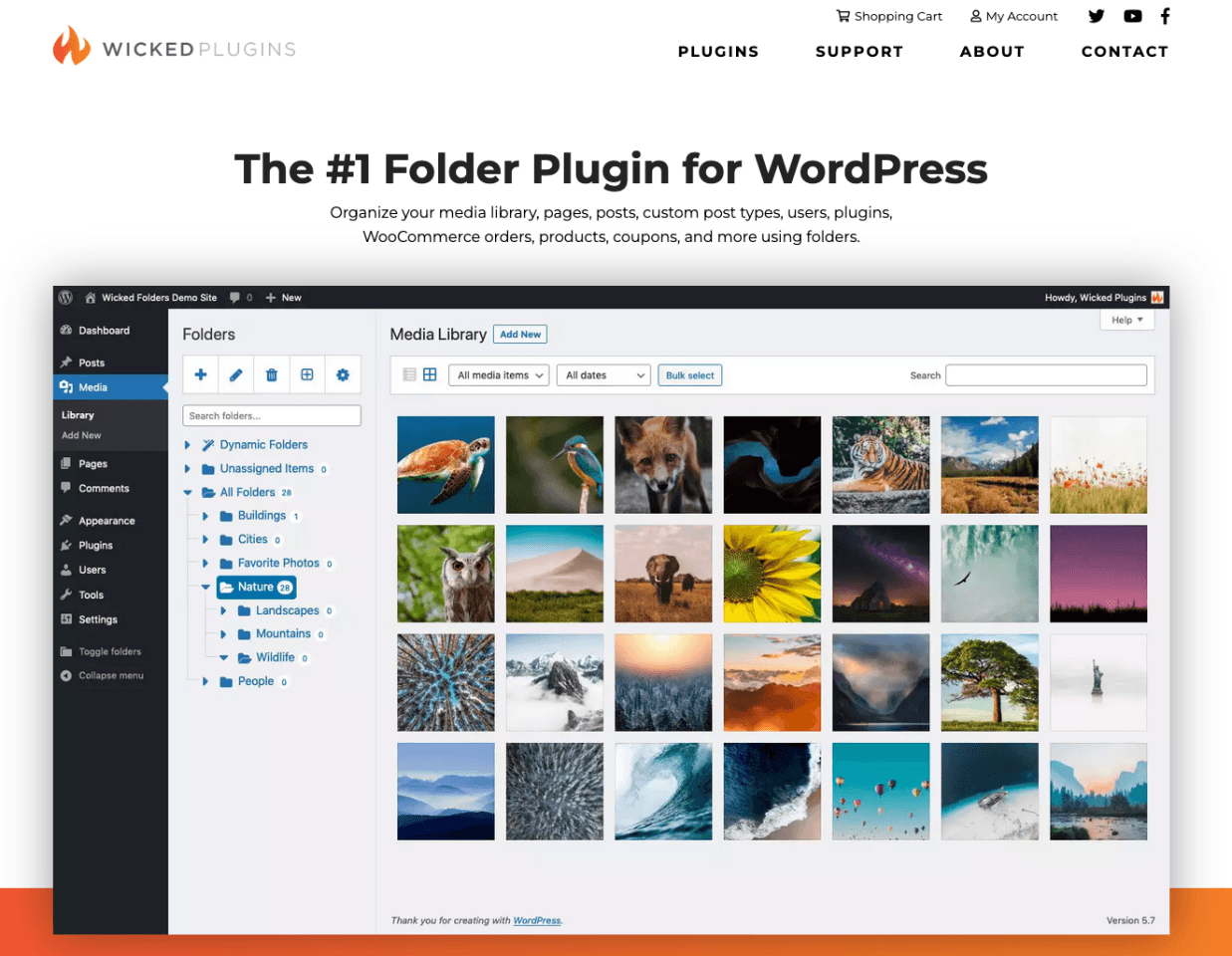
चलिए अगले प्लगइन, विकेड फोल्डर्स को आजमाते हैं, जो आपको अपने अपलोड को फोल्डर में व्यवस्थित करने, उन्हें ड्रैग एंड ड्रॉप करने और "इन्सर्ट मीडिया" डायलॉग बॉक्स में फोल्डर से इमेज चुनने में मदद करता है। आप अपनी फाइलों को फाइल टाइप के अनुसार ऑटोमैटिकली ग्रुप भी कर सकते हैं।
यह कुछ हजार हाई क्वालिटी अपलोड के साथ भी आसानी से काम करता है। इस प्लगइन की कमी यह है कि यह आपके मीडिया अपलोड को क्राइटेरिया के अनुसार ऑटोमैटिकली सॉर्ट नहीं कर पाता है। इसके अलावा, फ्री वर्जन आपको केवल पोस्ट, पेज और कस्टम पोस्ट टाइप को फोल्डर में व्यवस्थित करने की अनुमति देता है, आपकी मीडिया लाइब्रेरी को नहीं।
विकेड फोल्डर्स की मुख्य विशेषताएं:
- मीडिया अपलोड को व्यवस्थित करने के लिए फ़ोल्डर (केवल भुगतान किए गए संस्करण में)
- फ़ाइलों को फ़ोल्डर में खींचें और छोड़ें
- फ़ाइल प्रकार द्वारा फ़ाइलों को फ़ोल्डर में समूहित करें
- विज़ुअल Composer और ग्रेविटी फ़ॉर्म के साथ संगतता
- 1.000 से अधिक अपलोड के साथ भी प्रदर्शनकारी
10. मीडिया लाइब्रेरी असिस्टेंट
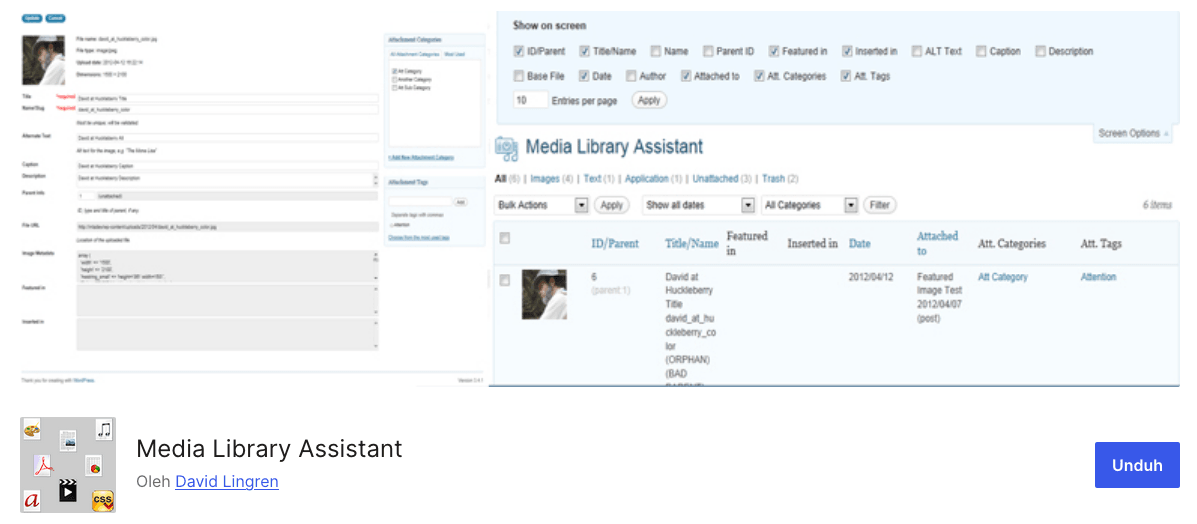
अंत में, मीडिया लाइब्रेरी असिस्टेंट है जो आपको अपनी मीडिया फ़ाइलों को प्रबंधित करने की सुविधा देता है। यह प्लगइन न केवल छवियों को प्रबंधित करता है, बल्कि बिना किसी समस्या के आपकी नई गैलरी में स्लाइडशो, थंबनेल स्ट्रिप्स और विशेष प्रभाव जोड़ने की सुविधा भी देता है। इस प्लगइन
में कई अनूठी विशेषताएं हैं जो आपको अपनी मीडिया फ़ाइलों पर अधिक नियंत्रण प्रदान करती हैं। यह आपको यह ट्रैक करने में भी मदद करता है कि आपकी साइट पर फ़ाइलें कहाँ उपयोग में हैं, साथ ही उनके लिए अधिक विस्तृत मेटाडेटा भी प्रदान करता है। इसके अलावा, यह पूरी तरह से निःशुल्क है।
मीडिया लाइब्रेरी असिस्टेंट की मुख्य विशेषताएं:
- अतिरिक्त फ़ील्ड के साथ उन्नत फ़ाइल संपादन, जैसे कि फ़ाइल लेखक और वर्गीकरण
- आकार, शीर्षक, तिथि जोड़ी गई, और अधिक सहित अतिरिक्त फ़ाइल गुणों के लिए फ़िल्टरिंग
- गैलरी, 'टैग क्लाउड', और टर्म सूचियों को प्रदर्शित करने के लिए शॉर्टकोड
निष्कर्ष
ऊपर दिए गए लेखों की सूची में आपने सर्वश्रेष्ठ वर्डप्रेस मीडिया लाइब्रेरी प्लगइन्स की विस्तृत तुलना देखी है। सबसे अच्छी बात यह है कि इनमें से अधिकांश विकल्प फ्रीमीयम हैं, जिससे आप उत्पाद को मुफ्त में आज़मा सकते हैं और अपनी ज़रूरत के अनुसार अपग्रेड कर सकते हैं।
आप दो प्रकार के प्लगइन्स को पहचानकर आसानी से सर्वश्रेष्ठ प्लगइन का चयन कर सकते हैं। पहला, वे प्लगइन्स जिन पर आप बड़ी मीडिया लाइब्रेरी, बड़ी वेबसाइट और इमेज एसईओ को संभालने के लिए भरोसा कर सकते हैं। और दूसरा, "सिंगल-फीचर" प्लगइन्स, जो बहुत हल्के होते हैं और फ़ोल्डर प्रबंधन पर केंद्रित होते हैं।
आशा है कि इस पोस्ट ने आपको चुनाव करने में मदद की होगी!
जब आप ब्लॉग की सदस्यता लेते हैं, तो हम आपको एक ईमेल भेजेंगे जब साइट पर नए अपडेट होंगे ताकि आप उन्हें न चूकें।.