منتجات WordPress
 منتجات Joomla
 Support
 أخبار
أخبار Login
Loginمدير معرض جديد في إضافة WP Media Folder

حيثما وُجدت مدونات ووردبريس، فلا بد أن تتبعها الصور والوسائط، وحيثما وُجدت الصور، فمن الطبيعي أن تظهر معارض الصور. حتى إذا كنت تريد فقط توفير المساحة عند عرض مجموعة من الصور، فإن معارض الصور تُعد حلاً أنيقاً لعرض وسائطك بأفضل صورة ممكنة.
تعتمد إضافة WP Media Folder Gallery على WP Media Folder لتسهيل إدارة معرض الصور. حصل مدير معرض ووردبريس على تحديث كبير مع تحسينات شاملة، بما في ذلك تجربة مستخدم جديدة، ومعارض قابلة للتخصيص، وكتلة غوتنبرغ جديدة لتضمين معارض الصور في أي مكان في مدونتك.
مدير معرض ووردبريس في فيديو
قل وداعاً لمكتبة الوسائط الفوضوية.
WP Media Folder يتيح لك تصنيف الملفات، ومزامنة المجلدات مع التخزين السحابي، وإنشاء معارض رائعة، وحتى استبدال الصور دون كسر الروابط.
حسّن سير عمل الوسائط لديك اليوم
استكشاف تجربة المستخدم الجديدة لمدير المعرض
لا يمكنك أن تفوت ذلك. بمجرد تحديث WP Media Folder Gallery Addon، سترحب بك تجربة مستخدم جديدة تمامًا. عند التوجه إلى Media Folder Galleries من قائمة Media ، ستلاحظ المظهر الجديد البسيط المعتمد في أحدث إصدار.
تخفي البساطة مدير معرض غني بالميزات، ولكن قبل استكشاف الميزات الجديدة، لا بد من جولة تعريفية. في الشريط الجانبي يمكنك إنشاء معارض جديدة من الصفر، أو تحويل مجلدات الصور الموجودة تلقائيًا إلى معارض متكاملة. أسفله مباشرة، يمكنك النقر على أي معرض لبدء تحريره.
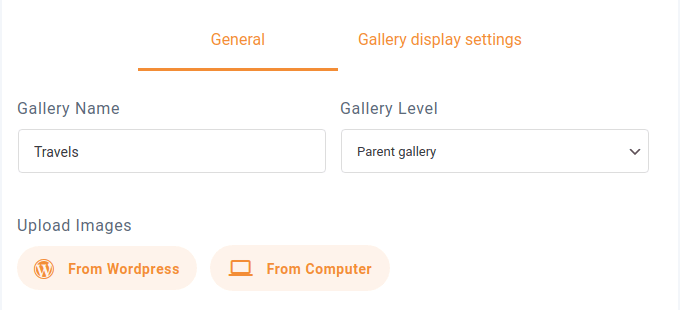
إدارة المعرض الفعلية بسيطة للغاية. في الأعلى، يمكنك تحديد اسم ومستوى المعرض—يمكن تنظيم المعارض هرميًا، مثل المجلدات. في الأسفل، يمكنك استيراد صور ووردبريس إلى المعرض، أو رفع صور جديدة من جهاز الكمبيوتر الخاص بك.
تشغل بقية المساحة المعرض. يتيح لك مدير معرض ووردبريس تحرير كل صورة على حدة عن طريق تمرير المؤشر فوقها والنقر على أيقونة الإعدادات . إذا أضفت صورة إلى المعرض عن طريق الخطأ، يمكنك إزالتها بطريقة مشابهة عن طريق تمرير المؤشر والنقر على أيقونة الحذف .
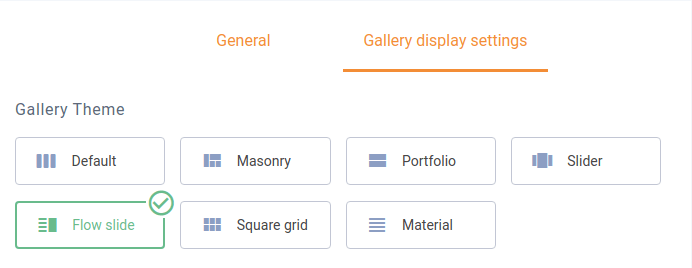
ومع ذلك، فإن الإضافة الأساسية الحقيقية لمدير المعرض ليست في هذه المنطقة. في الأعلى، يسمح لك تبويب إعدادات عرض المعرض بتخصيص كل معرض على حدة. يمكنك الاختيار من بين سبعة قوالب للمعرض. وأخذًا بعين الاعتبار مسمى "مدير المعرض"، تتيح لك إضافة WP Media Folder ضبط المعارض كما يحلو لك أدناه.
بعض الخيارات، مثل عدد الأعمدة وحجم الصورة والترتيب، أو سلوك الـ lightbox، مشتركة بين جميع القوالب. ومع ذلك، فإن قالب السلايدر، على سبيل المثال، يحتوي على خيارات خاصة بالقالب يمكنك الاستفادة منها.
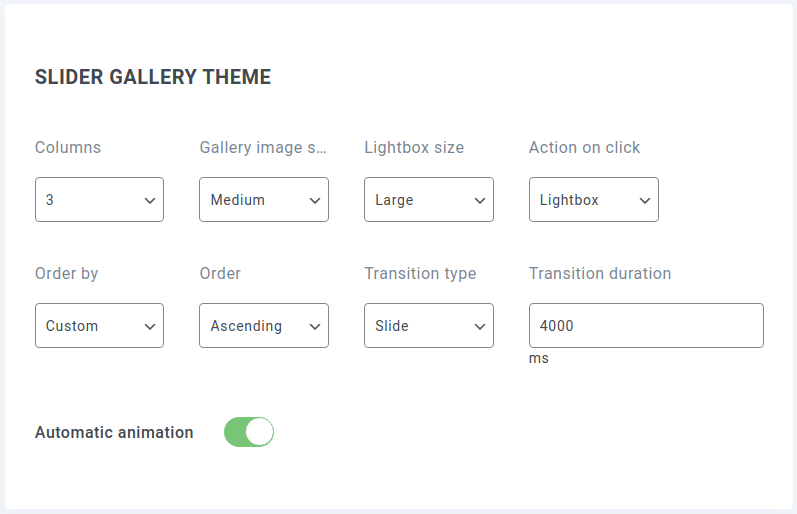
في كثير من الحالات، سترغب على الأرجح في تطبيق الإعدادات نفسها كلما أعدت استخدام القوالب. تتيح لك إعدادات WP Media Folder Gallery Addon تحديد إعدادات افتراضية لقوالب محددة. لإعدادها وجعلها جاهزة، انتقل إلى صفحة إعدادات WP Media Folder.
توجد إعدادات مدير المعرض في قسم إضافة المعارض ، ضمن علامة التبويب الإعدادات الافتراضية . تتضمن الخيارات نفس الإعدادات التي تجدها عادةً عند إنشاء معارض فردية، إلى جانب بعض الخيارات الإضافية، مثل الرسوم المتحركة التلقائية.
تضمين المعارض… في أي مكان
بعد الانتهاء من إعداد مدير المعرض، يمكنك البدء في مشاركة المعارض مباشرة من الإعدادات. علامة التبويب الرمز المختصر هي المكان الذي يمكنك فيه تحديد إعدادات المعرض والحصول على رمز — الرمز المختصر — لتضمين معرض في أي مكان.
الإعدادات هي الإعدادات المعتادة التي ستجدها في مدير المعرض، بما في ذلك اختيار المعرض وسمته، وتغيير التفاصيل الدقيقة للسمة. أثناء تغييرك للإعدادات، يتغير أيضًا الكود المختصر في أسفل الصفحة. عند الانتهاء من الإعدادات، يمكنك نسخ هذا الكود ووضعه في أي مكان في مدونتك على ووردبريس لتضمين المعرض.
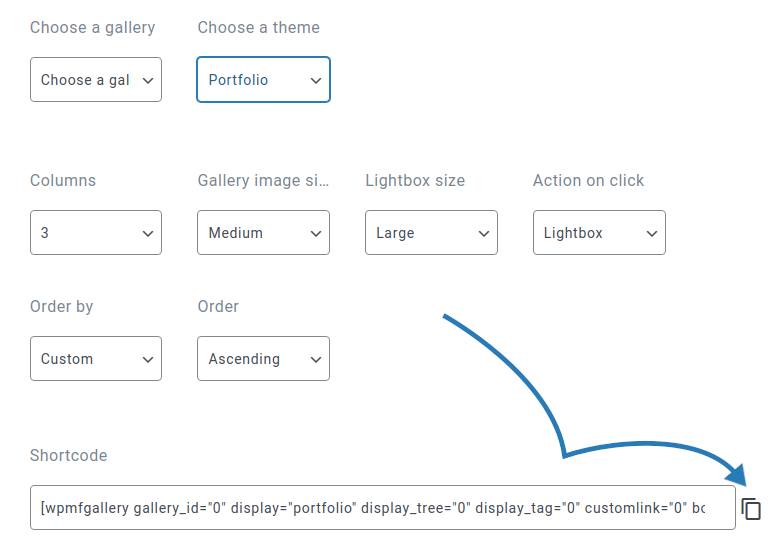
يُعدّ الكود المختصر مثاليًا إذا كنت ترغب في تضمين معرض في مكان غير متوقع، مثل قائمة جانبية كشكل من أشكال العرض. ومع ذلك، إذا كنت ترغب في إنشاء معرض في مقالة أو صفحة، فهناك حل أسهل: كتلة غوتنبرغ الجديدة تمامًا لمدير المعرض.
كتلة جوتنبرج تسمى WPMF Gallery Addon. بمجرد إنشائها، سيُطلب منك تحديد معرض أو إنشاء واحد. أيًا كان النهج الذي تختاره، حدد المعرض وانقر على إدراج لإضافته إلى المحتوى الخاص بك.
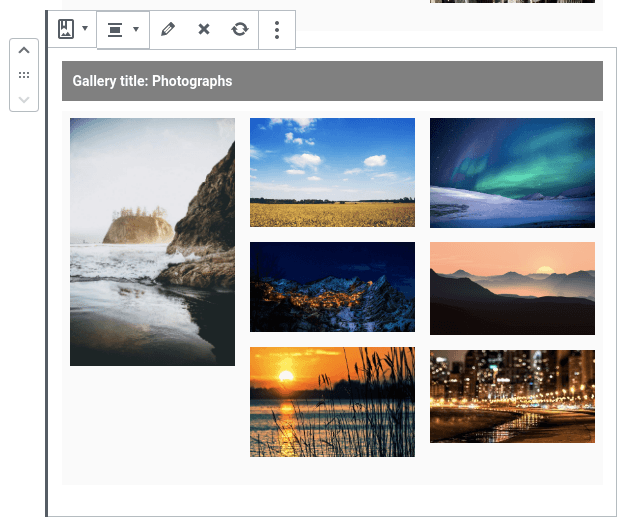
أفضل ما في كتلة جوتنبرج هو أنها تحتوي على مدير المعرض بداخلها. يمكنك تغيير صور المعرض من محرر جوتنبرج بالنقر على أيقونة تحرير من شريط أدوات الكتلة. تحتوي إعدادات الكتلة على الخيارات الأخرى الخاصة بالمعرض، مثل القالب، وخيارات الكتلة، بما في ذلك الحدود والهوامش والظلال.
نداء لجميع مسؤولي المواقع!
وفّر الوقت وعزّز الإنتاجية مع WP Media Folder. نظّم ملفات وسائط العملاء بسهولة، وأنشئ معارض مخصصة، وقدّم تجربة مستخدم سلسة.
طوّر مشاريع موقعك الإلكتروني الآن!
لا تعيد إضافة معرض WP Media Folder Gallery Addon اختراع المعارض، لكنها تسهّل عليك عرض المعارض بأفضل طريقة ممكنة. مع 7 قوالب للاختيار من بينها وطرق لا حصر لها لتخصيصها، يجعل أحدث تحديث لمدير المعرض عرض صورك في المعارض أسهل من أي وقت مضى.
عند الاشتراك في المدونة، سنرسل لك بريدًا إلكترونيًا عند وجود تحديثات جديدة على الموقع حتى لا تفوتك.